> ## Documentation Index
> Fetch the complete documentation index at: https://docs.cloudeval.ai/llms.txt
> Use this file to discover all available pages before exploring further.
# How CloudEval works
> Learn the core CloudEval AI model so the rest of the product and docs make sense quickly.
CloudEval AI is easiest to understand as an evaluation flow: add a source, create a project, run reports, then share the result with the right audience.
 ## The core loop
```mermaid theme={null}
%%{init: {"flowchart": {"nodeSpacing": 36, "rankSpacing": 50, "curve": "basis"}, "themeVariables": {"fontSize": "16px"}}}%%
flowchart LR
connection["Add connection
## The core loop
```mermaid theme={null}
%%{init: {"flowchart": {"nodeSpacing": 36, "rankSpacing": 50, "curve": "basis"}, "themeVariables": {"fontSize": "16px"}}}%%
flowchart LR
connection["Add connection
or IaC source"]:::input --> project["Create project"]:::project
project --> reports["Run reports"]:::report
reports --> review["Review findings
and Not assessed areas"]:::review
review --> sharing["Share result"]:::share
classDef input fill:#E0F2FE,stroke:#0284C7,color:#082F49,stroke-width:2px;
classDef project fill:#DBEAFE,stroke:#2563EB,color:#1E3A8A,stroke-width:2px;
classDef report fill:#DCFCE7,stroke:#16A34A,color:#14532D,stroke-width:2px;
classDef review fill:#FEF3C7,stroke:#D97706,color:#451A03,stroke-width:2px;
classDef share fill:#F3E8FF,stroke:#9333EA,color:#581C87,stroke-width:2px;
```
1. **Add a connection.**
A connection tells CloudEval where to read cloud data or infrastructure code from.
2. **Create a project.**
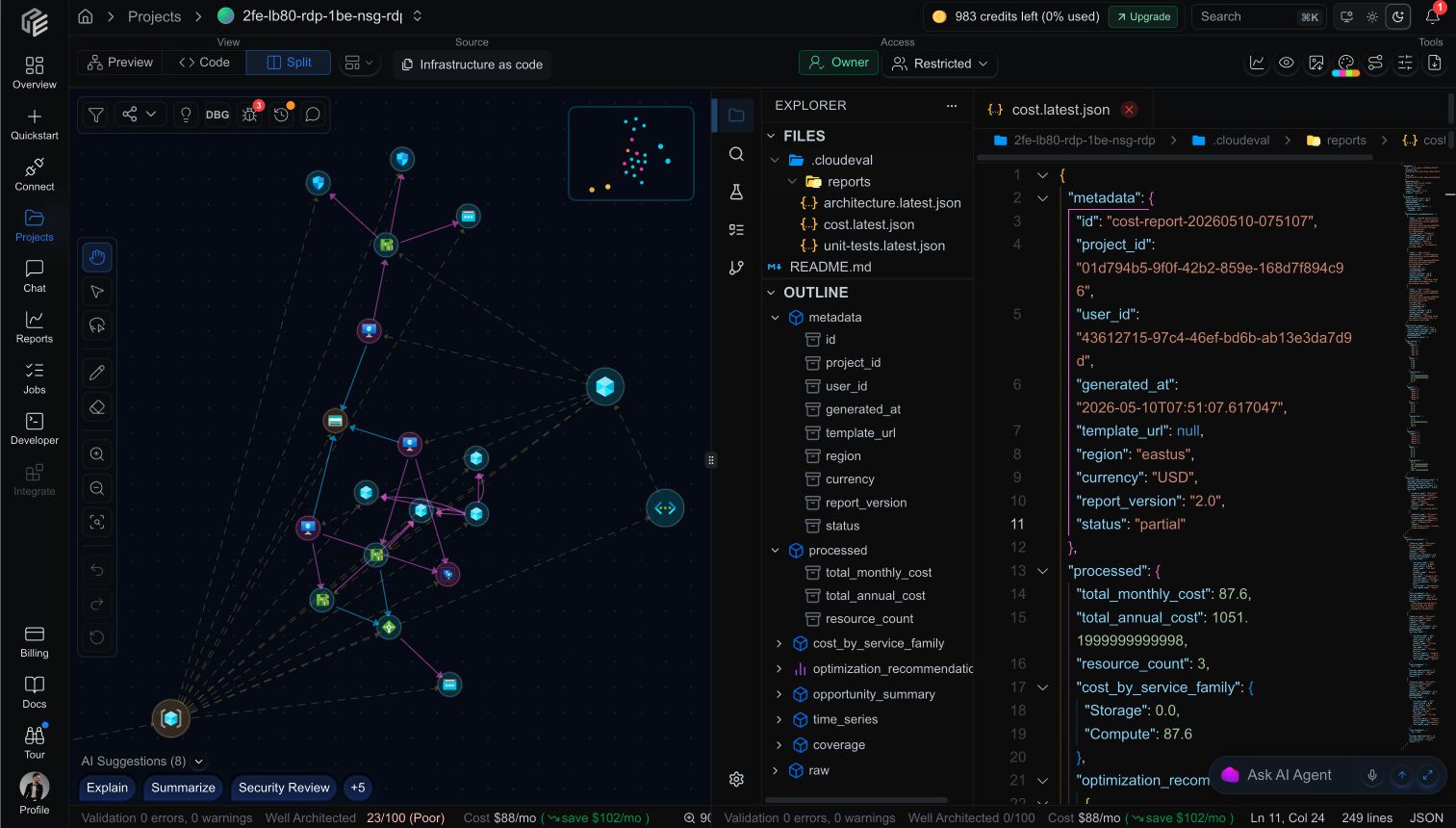
A project becomes the working space for files, topology, report history, and sharing.
3. **Run reports.**
Cost, architecture, deployment-quality, graph, and attributed IaC evidence turn raw infrastructure into findings you can act on.
4. **Review the assessed scope.**
Findings show what CloudEval could evaluate. Unsupported provider, format, resource, or policy areas should remain clear as `Not assessed`.
5. **Share or collaborate.**
Invite teammates, publish a read-only view, or embed the result elsewhere.
## Connection setup paths
CloudEval currently supports these practical starting points:
* **Cloud sync:** connect deployed Azure resources with a least-privilege service principal.
* **Infrastructure as code, single template:** upload or reference one ARM template and an optional parameters file.
* **Infrastructure as code, workspace:** import multiple ARM files, choose a visualization source in `.cloudeval/config.yaml`, and let CloudEval resolve linked templates for diagrams and reports.
* **AWS CloudFormation beta:** run static scanner evaluation for CloudFormation where the workflow is enabled.
* **Terraform scanner findings:** review scanner-native IaC findings for supported Terraform projects.
## Why projects matter
Projects are the main unit of work in the product. They are where CloudEval stores:
* linked connections
* synced or imported infrastructure data
* report outputs and latest snapshots
* share settings and collaborator access
That matters because most actions in the app happen at the project level, not at the raw connection level.
## What reports add
Reports are where CloudEval starts paying for itself.
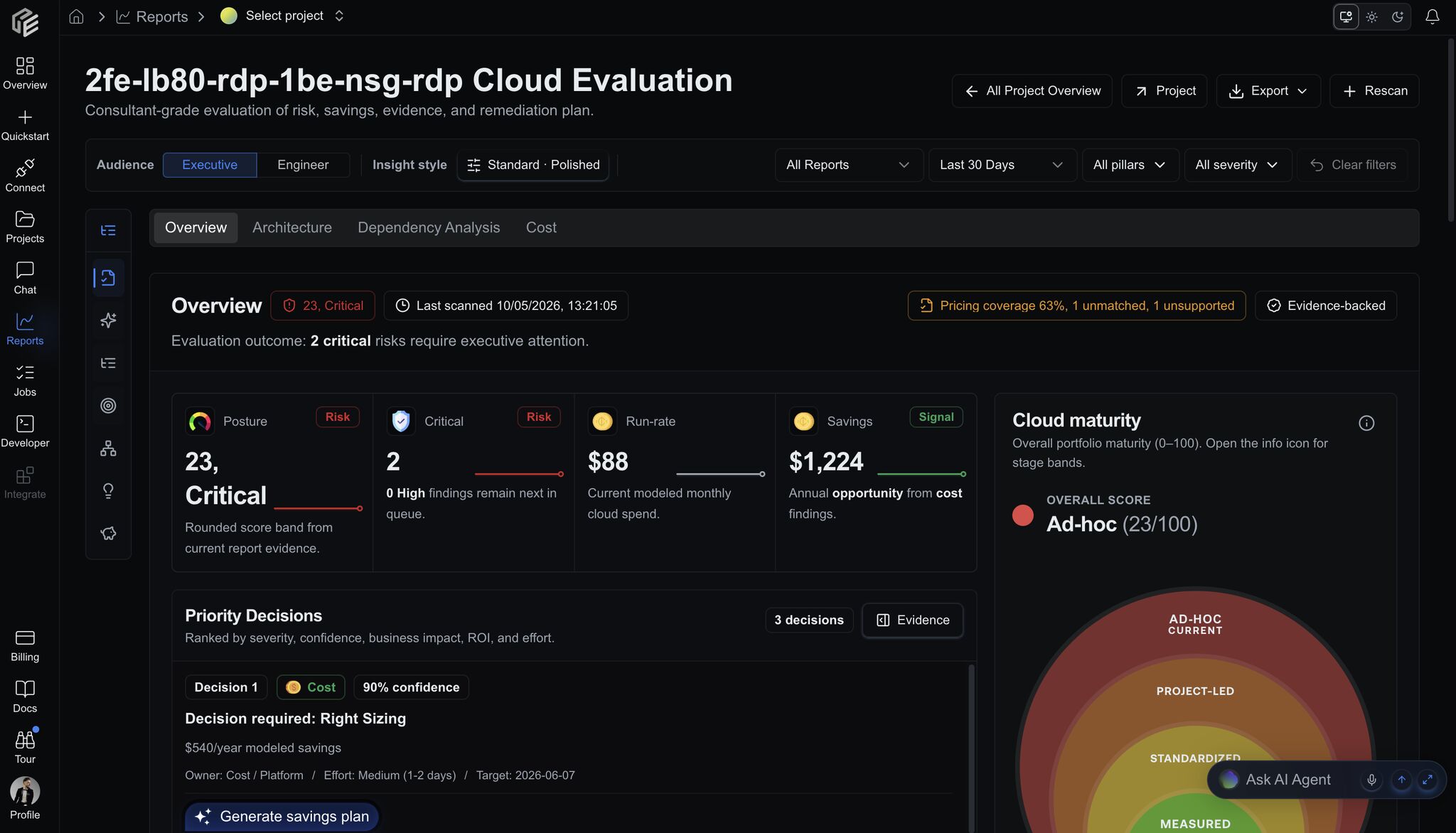
* Cost reports surface spend estimates, opportunity summaries, and trend-oriented context.
* Architecture reports summarize overall quality, Well-Architected pillar scores, and high-severity issues.
The goal is not just to visualize infrastructure. The goal is to make the next decision easier.
 ## Sharing model
CloudEval supports three broad ways to work with others:
* **Private:** only people with project access can open it.
* **Restricted collaboration:** invite named users with editor or viewer access.
* **Share links:** publish a read-only link or embed view when the project is appropriate to share.
## What not to assume
* A provider name in the app is not the same as full support.
* A visible UI option is not always a production-ready path.
* AWS CloudFormation beta support is not an end-to-end AWS Well-Architected assessment.
* Terraform scanner findings are not live-cloud sync.
* Share links are read-only, not an editing mode.
## Next step
Use the [quickstart](/quickstart/index) if you want to set up CloudEval now, or read [Connections](/concepts/connections), [Projects](/concepts/projects), and [Evaluation methodology and attribution](/reference/evaluation-methodology-and-attribution) if you want the model in more detail.
## Sharing model
CloudEval supports three broad ways to work with others:
* **Private:** only people with project access can open it.
* **Restricted collaboration:** invite named users with editor or viewer access.
* **Share links:** publish a read-only link or embed view when the project is appropriate to share.
## What not to assume
* A provider name in the app is not the same as full support.
* A visible UI option is not always a production-ready path.
* AWS CloudFormation beta support is not an end-to-end AWS Well-Architected assessment.
* Terraform scanner findings are not live-cloud sync.
* Share links are read-only, not an editing mode.
## Next step
Use the [quickstart](/quickstart/index) if you want to set up CloudEval now, or read [Connections](/concepts/connections), [Projects](/concepts/projects), and [Evaluation methodology and attribution](/reference/evaluation-methodology-and-attribution) if you want the model in more detail.