> ## Documentation Index
> Fetch the complete documentation index at: https://docs.cloudeval.ai/llms.txt
> Use this file to discover all available pages before exploring further.
# Run your first reports
> Generate and review a Cloud Evaluation report from an existing CloudEval project.
Once you have a project, **reports** are the fastest way to turn CloudEval into something actionable.
 ## Run a report
1. Open **Reports**.
2. Choose **Add report** or the equivalent report action from the project flow.
3. Select one or more projects.
4. Choose the report payloads you want:
* **Cost**
* **Architecture**
* **Both**
5. For cost runs, confirm the region and currency.
6. Start the run.
## What you should expect
The generated output appears as a Cloud Evaluation report attached to the project. Depending on the payloads available for the project, it can include:
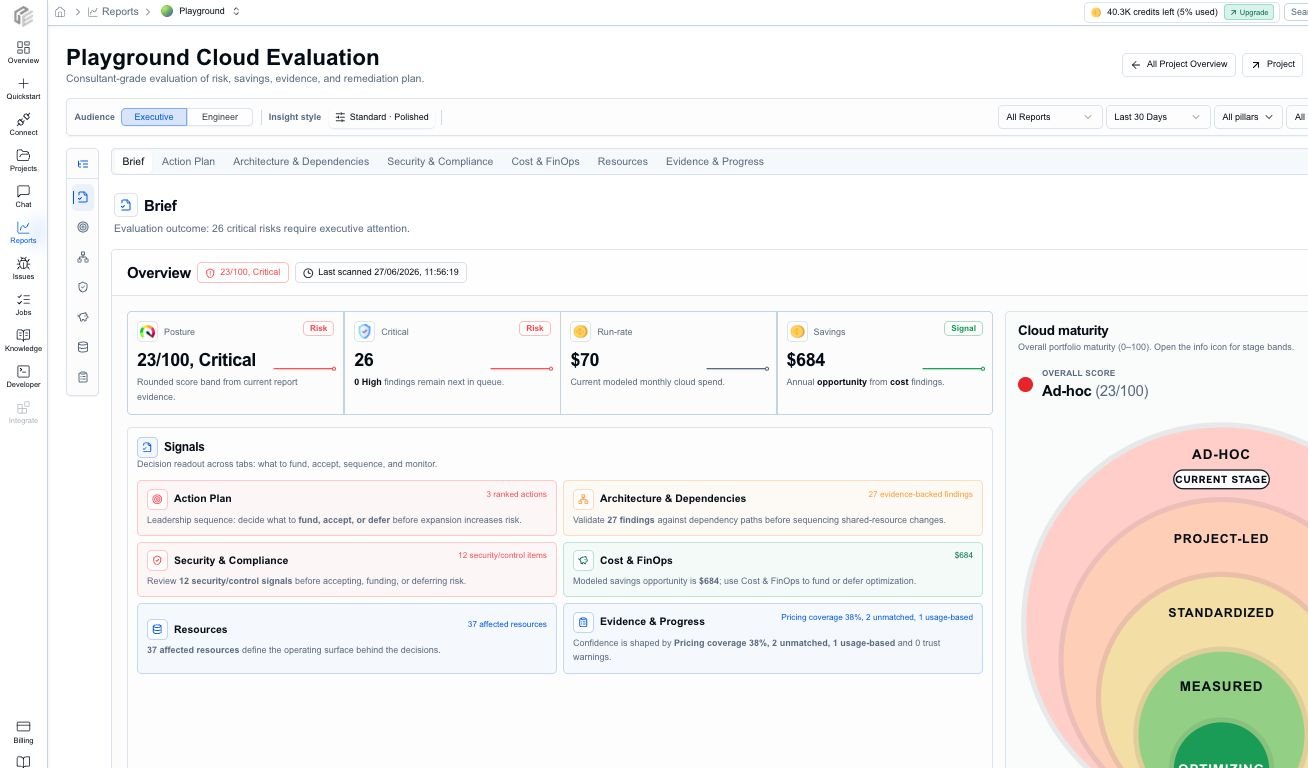
* a Brief with posture, critical risk, run-rate cost, savings, maturity, freshness, and confidence
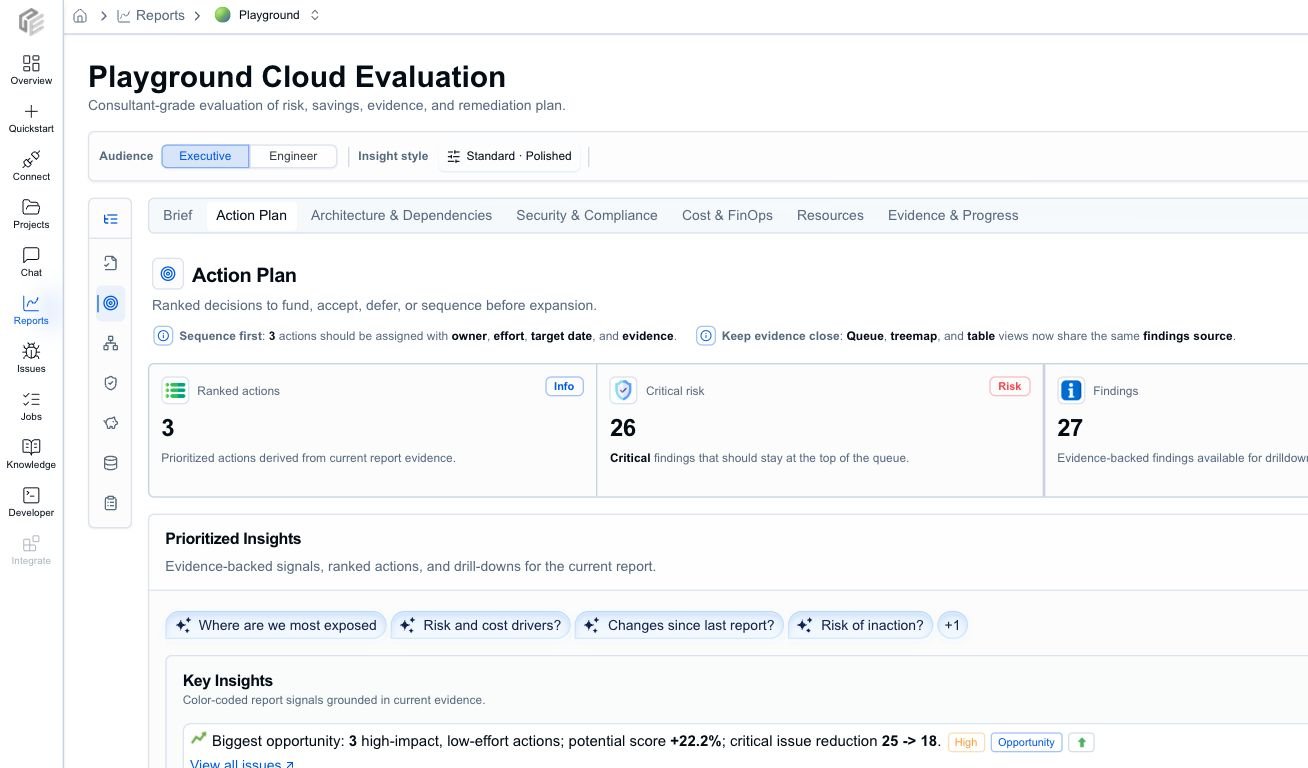
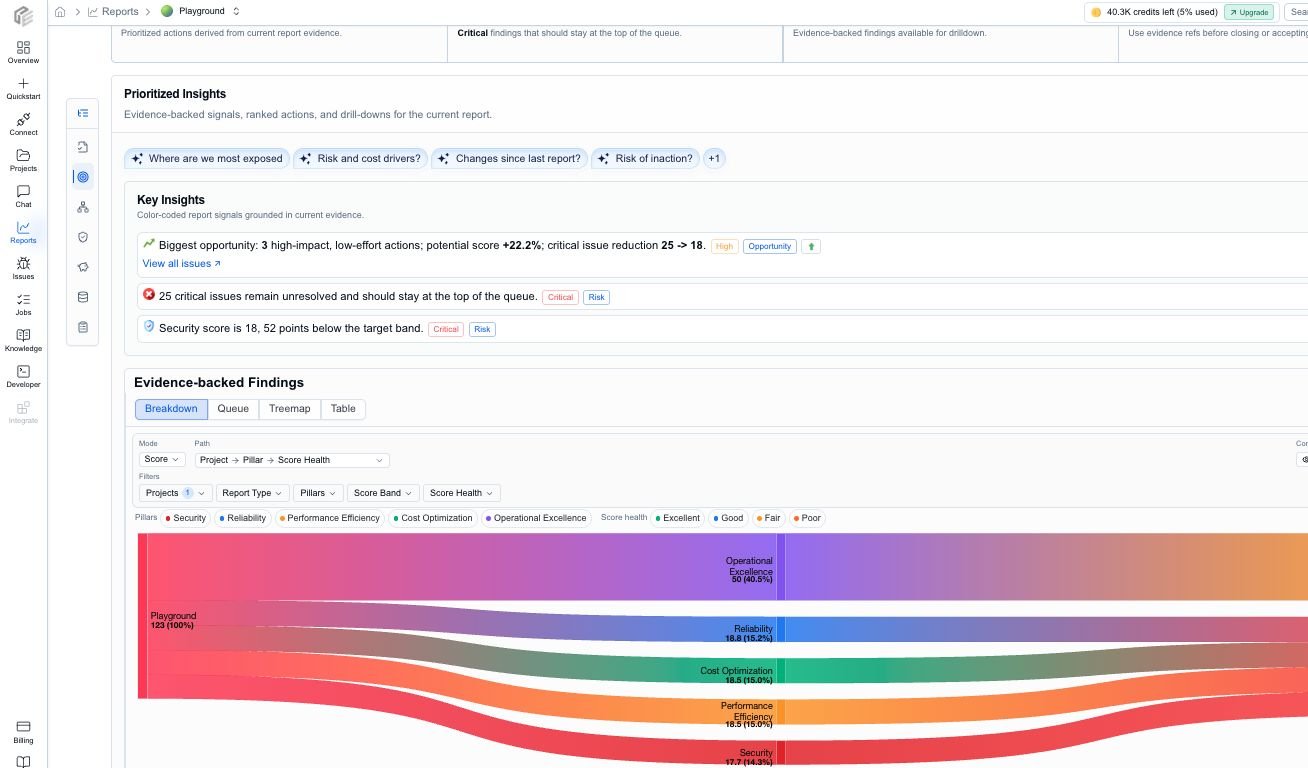
* an Action Plan with ranked findings, owner, effort, target date, confidence, business impact, and suggested action
* Architecture & Dependencies review with pillar and dependency context
* Security & Compliance review when project evidence supports it
* Cost & FinOps review with monthly, annualized, and savings context
* Resources inventory with status, severity, issue counts, cost, savings, and evidence links
* Evidence & Progress with source artifacts, warnings, assumptions, freshness, history, and trends where available
## Read the first report
1. Start with **Brief** to decide whether the project needs urgent attention, broader review, or a deeper engineering pass.
2. Open **Action Plan** and review the highest-confidence, highest-impact items first.
3. Use **Architecture & Dependencies** for design risk and dependency context.
4. Use **Security & Compliance** for security-themed findings and evidence-backed control review.
5. Use **Cost & FinOps** for run-rate, annualized cost, savings, and pricing-coverage assumptions.
6. Use **Resources** when you need exact affected resources and primary actions.
7. Use **Evidence & Progress** to check source artifacts, freshness, assumptions, warnings, history, and trends.
## Run a report
1. Open **Reports**.
2. Choose **Add report** or the equivalent report action from the project flow.
3. Select one or more projects.
4. Choose the report payloads you want:
* **Cost**
* **Architecture**
* **Both**
5. For cost runs, confirm the region and currency.
6. Start the run.
## What you should expect
The generated output appears as a Cloud Evaluation report attached to the project. Depending on the payloads available for the project, it can include:
* a Brief with posture, critical risk, run-rate cost, savings, maturity, freshness, and confidence
* an Action Plan with ranked findings, owner, effort, target date, confidence, business impact, and suggested action
* Architecture & Dependencies review with pillar and dependency context
* Security & Compliance review when project evidence supports it
* Cost & FinOps review with monthly, annualized, and savings context
* Resources inventory with status, severity, issue counts, cost, savings, and evidence links
* Evidence & Progress with source artifacts, warnings, assumptions, freshness, history, and trends where available
## Read the first report
1. Start with **Brief** to decide whether the project needs urgent attention, broader review, or a deeper engineering pass.
2. Open **Action Plan** and review the highest-confidence, highest-impact items first.
3. Use **Architecture & Dependencies** for design risk and dependency context.
4. Use **Security & Compliance** for security-themed findings and evidence-backed control review.
5. Use **Cost & FinOps** for run-rate, annualized cost, savings, and pricing-coverage assumptions.
6. Use **Resources** when you need exact affected resources and primary actions.
7. Use **Evidence & Progress** to check source artifacts, freshness, assumptions, warnings, history, and trends.
 ## Choose the right audience mode
* Use **Executive** when you need a concise readout for budget, approval, or stakeholder alignment.
* Use **Engineer** when you need affected resources, evidence, and implementation detail.
The audience mode changes the framing. It does not change the underlying report data.
## Export or hand off the report
After the first review pass, use the report actions to:
* export PDF when you need a meeting-ready readout
* export Markdown when you want review notes, an internal doc, or a pull-request summary
* export JSON when another tool needs structured report data
* choose brief, detailed, or evidence-focused export depth where available
* copy scoped AI context or evidence context for Codex, Claude, Cursor, VS Code, or another review tool
## Choose the right audience mode
* Use **Executive** when you need a concise readout for budget, approval, or stakeholder alignment.
* Use **Engineer** when you need affected resources, evidence, and implementation detail.
The audience mode changes the framing. It does not change the underlying report data.
## Export or hand off the report
After the first review pass, use the report actions to:
* export PDF when you need a meeting-ready readout
* export Markdown when you want review notes, an internal doc, or a pull-request summary
* export JSON when another tool needs structured report data
* choose brief, detailed, or evidence-focused export depth where available
* copy scoped AI context or evidence context for Codex, Claude, Cursor, VS Code, or another review tool
 ## Which report payload should you start with?
* Start with **Both** if you are new to the product.
* Start with **Cost** if the immediate question is spend or optimization.
* Start with **Architecture** if the immediate question is quality, risk, or review readiness.
## Next step
Read [Reports](/concepts/reports) for the mental model, or use [Review report findings](/workflows/review-cost-and-architecture-findings) for a practical follow-up workflow.
## Which report payload should you start with?
* Start with **Both** if you are new to the product.
* Start with **Cost** if the immediate question is spend or optimization.
* Start with **Architecture** if the immediate question is quality, risk, or review readiness.
## Next step
Read [Reports](/concepts/reports) for the mental model, or use [Review report findings](/workflows/review-cost-and-architecture-findings) for a practical follow-up workflow.