> ## Documentation Index
> Fetch the complete documentation index at: https://docs.cloudeval.ai/llms.txt
> Use this file to discover all available pages before exploring further.
# Review report findings
> Turn CloudEval report output into a practical review conversation, evidence check, and prioritized next step list.
Running reports is only the middle of the job. The real value comes from how the team reviews what CloudEval found, checks the evidence, and decides what happens next.
 ## Recommended review order
1. Start with **Brief** to align on posture, critical risk, run rate, savings, freshness, and confidence.
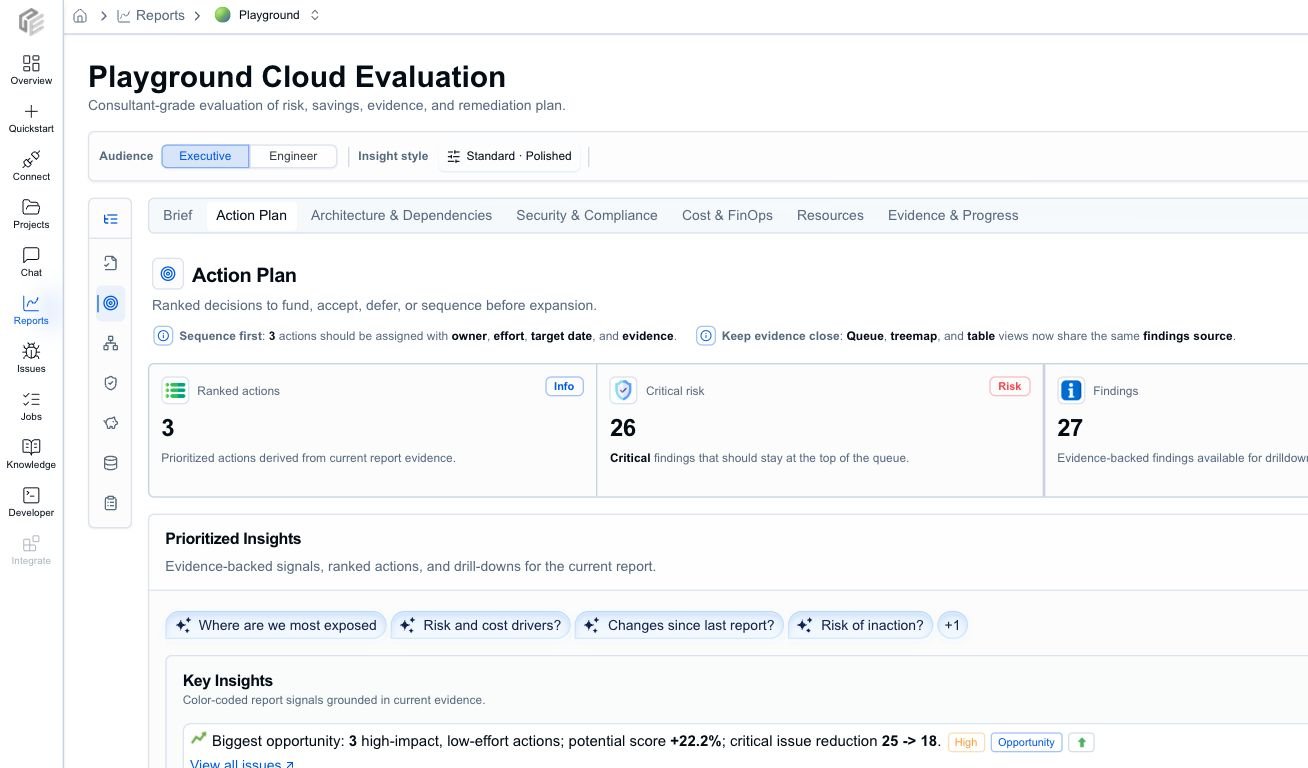
2. Move to **Action Plan** and rank items by severity, confidence, business impact, savings, effort, and rollout risk.
3. Use **Resources** to identify the exact resources behind the highest-priority items.
4. Use **Architecture & Dependencies** for design risk, Well-Architected signals, and dependency context.
5. Use **Security & Compliance** for security-themed findings, source evidence, and remediation review.
6. Use **Cost & FinOps** for run-rate, savings, and cost-assumption checks.
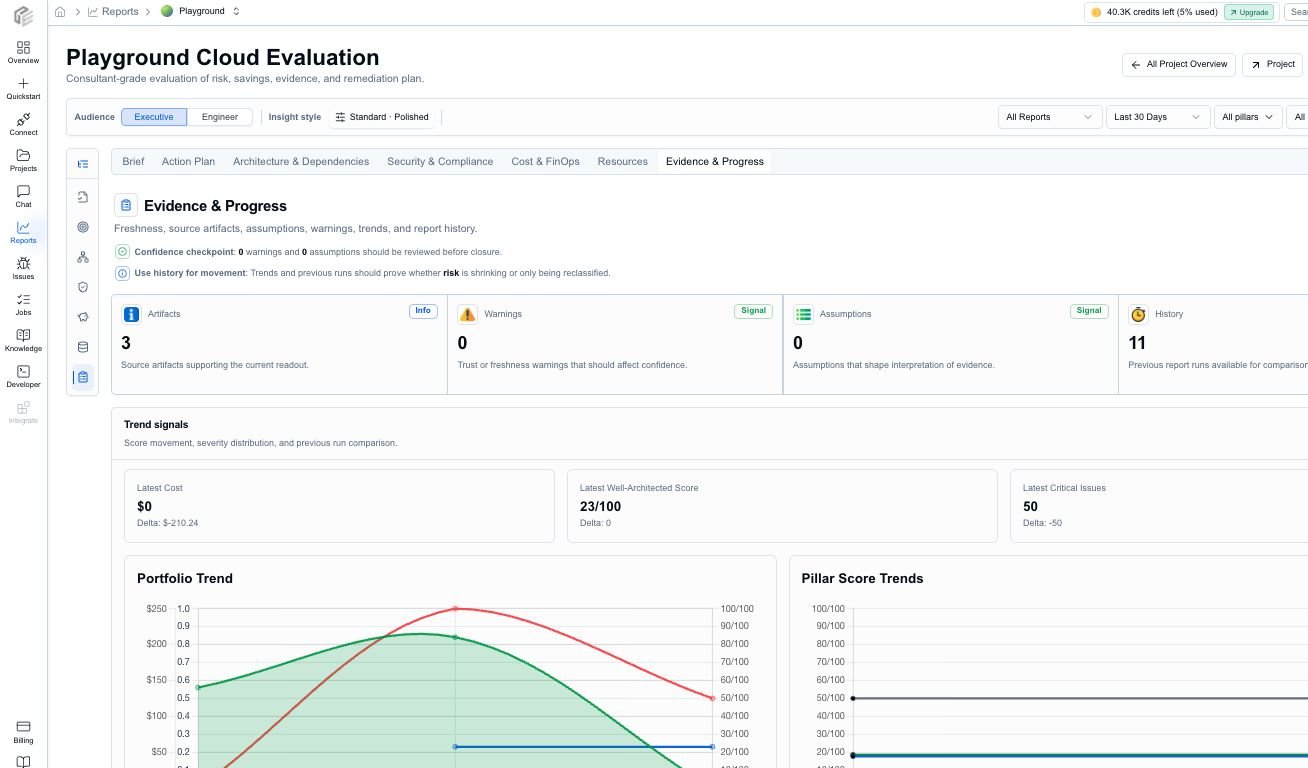
7. Finish in **Evidence & Progress** to confirm source artifacts, freshness, warnings, assumptions, trends, and history.
## What to pull out of the Brief
* project posture and maturity
* critical and high-severity issue counts
* current run-rate cost and potential savings
* freshness, coverage, and confidence notes
* assumptions or warnings that change how strongly the report can be used
That gives the team a shared read before drilling into individual findings.
## What to pull out of the Action Plan
* the top findings that should block rollout or trigger immediate remediation
* high-confidence, low-effort fixes
* findings with meaningful modeled savings
* owners, effort, and target dates
* any action that needs a follow-up ticket, PR, waiver, or stakeholder decision
## Recommended review order
1. Start with **Brief** to align on posture, critical risk, run rate, savings, freshness, and confidence.
2. Move to **Action Plan** and rank items by severity, confidence, business impact, savings, effort, and rollout risk.
3. Use **Resources** to identify the exact resources behind the highest-priority items.
4. Use **Architecture & Dependencies** for design risk, Well-Architected signals, and dependency context.
5. Use **Security & Compliance** for security-themed findings, source evidence, and remediation review.
6. Use **Cost & FinOps** for run-rate, savings, and cost-assumption checks.
7. Finish in **Evidence & Progress** to confirm source artifacts, freshness, warnings, assumptions, trends, and history.
## What to pull out of the Brief
* project posture and maturity
* critical and high-severity issue counts
* current run-rate cost and potential savings
* freshness, coverage, and confidence notes
* assumptions or warnings that change how strongly the report can be used
That gives the team a shared read before drilling into individual findings.
## What to pull out of the Action Plan
* the top findings that should block rollout or trigger immediate remediation
* high-confidence, low-effort fixes
* findings with meaningful modeled savings
* owners, effort, and target dates
* any action that needs a follow-up ticket, PR, waiver, or stakeholder decision
 ## What to pull out of the technical tabs
| Tab | Pull out | Use it to decide |
| --------------------------- | ------------------------------------------------------------------------------------------------------------------ | ------------------------------------------------------------------------------------ |
| Architecture & Dependencies | weakest pillars, critical paths, dependency context, affected resources, and design recommendations | whether the architecture is review-ready and which design changes matter most |
| Security & Compliance | security-themed findings, control context, source evidence, confidence, and remediation guidance | whether a risk needs immediate action, owner review, or audit follow-up |
| Cost & FinOps | monthly run rate, annualized cost, top savings opportunities, pricing assumptions, and unmatched resources | whether savings claims are strong enough to prioritize and who should review them |
| Resources | exact resource names, provider metadata, region, status, severity, issue counts, cost, savings, and primary action | which resource should be changed, investigated, waived, or documented |
| Evidence & Progress | artifacts, freshness, assumptions, warnings, trends, and report history | whether the report is current enough to share and what changed since the last review |
## Evidence acceptance checklist
Before treating a finding as a decision, check:
* the affected resource is visible and recognizable to the team
* confidence is high enough for the proposed action
* freshness is not stale for the decision being made
* warnings or assumptions do not undermine the conclusion
* cost estimates have enough pricing or usage coverage for the intended use
* source artifacts and project links are available for engineering follow-up
* the recommendation is specific enough to become a ticket, PR, waiver, or owner action
## Good review questions
* What is genuinely urgent?
* Which item has high confidence and low implementation effort?
* Which finding should block rollout?
* Which cost opportunity is material enough to prioritize?
* Which resource owner needs to be involved?
* Which findings need more evidence before action?
* Which items can be tracked for later instead of being solved immediately?
## Export and share
Use export and sharing after the team agrees on the audience and depth:
* **PDF** for stakeholder readouts and meeting packets
* **Markdown** for internal docs, PR summaries, and issue trackers
* **JSON** for automation and archival
* **Brief** depth for a concise status update
* **Detailed** depth for team review
* **Evidence** depth for audit-style follow-up or technical handoff
When you need an AI assistant to continue the work, copy scoped report context or an evidence pack instead of asking it to infer from screenshots alone.
## Next step
If the project is ready for broader review, continue to [Share results with stakeholders](/workflows/share-results-with-stakeholders). If the team needs the underlying model, open [Report types and statuses](/reference/report-types-and-statuses).
## What to pull out of the technical tabs
| Tab | Pull out | Use it to decide |
| --------------------------- | ------------------------------------------------------------------------------------------------------------------ | ------------------------------------------------------------------------------------ |
| Architecture & Dependencies | weakest pillars, critical paths, dependency context, affected resources, and design recommendations | whether the architecture is review-ready and which design changes matter most |
| Security & Compliance | security-themed findings, control context, source evidence, confidence, and remediation guidance | whether a risk needs immediate action, owner review, or audit follow-up |
| Cost & FinOps | monthly run rate, annualized cost, top savings opportunities, pricing assumptions, and unmatched resources | whether savings claims are strong enough to prioritize and who should review them |
| Resources | exact resource names, provider metadata, region, status, severity, issue counts, cost, savings, and primary action | which resource should be changed, investigated, waived, or documented |
| Evidence & Progress | artifacts, freshness, assumptions, warnings, trends, and report history | whether the report is current enough to share and what changed since the last review |
## Evidence acceptance checklist
Before treating a finding as a decision, check:
* the affected resource is visible and recognizable to the team
* confidence is high enough for the proposed action
* freshness is not stale for the decision being made
* warnings or assumptions do not undermine the conclusion
* cost estimates have enough pricing or usage coverage for the intended use
* source artifacts and project links are available for engineering follow-up
* the recommendation is specific enough to become a ticket, PR, waiver, or owner action
## Good review questions
* What is genuinely urgent?
* Which item has high confidence and low implementation effort?
* Which finding should block rollout?
* Which cost opportunity is material enough to prioritize?
* Which resource owner needs to be involved?
* Which findings need more evidence before action?
* Which items can be tracked for later instead of being solved immediately?
## Export and share
Use export and sharing after the team agrees on the audience and depth:
* **PDF** for stakeholder readouts and meeting packets
* **Markdown** for internal docs, PR summaries, and issue trackers
* **JSON** for automation and archival
* **Brief** depth for a concise status update
* **Detailed** depth for team review
* **Evidence** depth for audit-style follow-up or technical handoff
When you need an AI assistant to continue the work, copy scoped report context or an evidence pack instead of asking it to infer from screenshots alone.
## Next step
If the project is ready for broader review, continue to [Share results with stakeholders](/workflows/share-results-with-stakeholders). If the team needs the underlying model, open [Report types and statuses](/reference/report-types-and-statuses).