
Cloudeval CLI npm version



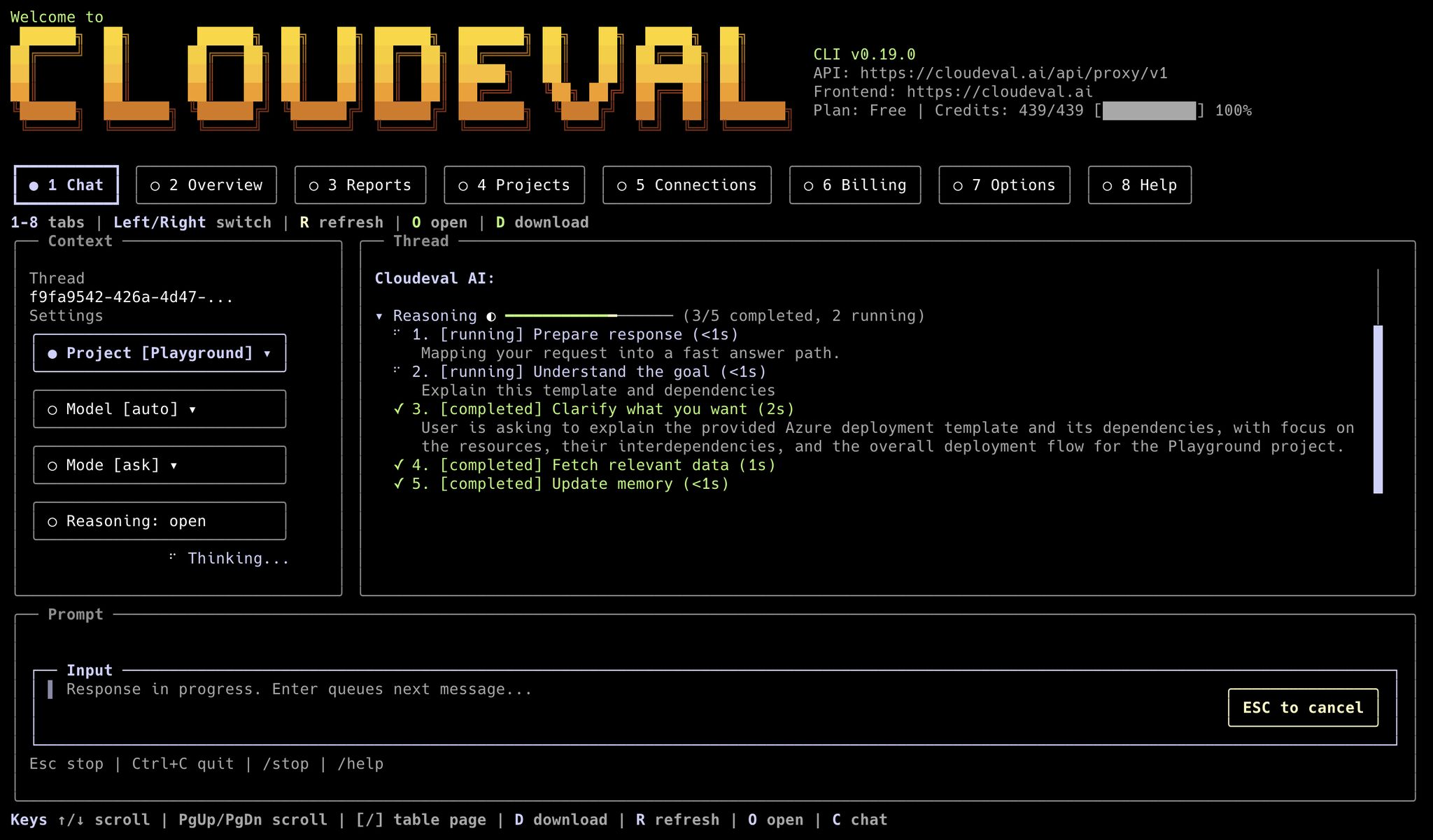
Cloudeval's terminal UI keeps chat, project context, reports, and account status in one keyboard-first workspace.
What the CLI is good at
- project creation from ARM JSON or template URLs
- report runs and saved report retrieval
- one-shot grounded questions
- billing and credit inspection
- local setup profiles for agents and environments
- local diagnostics and model discovery
- searchable local session history for one-shot CLI questions
- resumable terminal chat sessions
- a local stdio MCP server for agent tools, resources, and prompts
- exact app deeplinks for projects, reports, connections, chat, and billing
- machine-readable output for automation
CLI vs web app
Binaries and service defaults
Cloudeval ships two binary names:cloudevaleva
--base-url or --frontend-url only when you are targeting a
self-hosted, staging, or local environment.
Interactive vs pipeable work
Run without arguments when you want the terminal UI:Profiles and local configuration
Usecloudeval setup when you want the CLI to remember defaults such as the
Cloudeval service URL, app URL, default project, and default model:
--profile <name> or CLOUDEVAL_PROFILE. Explicit
command flags still override profile defaults.
Authentication modes
Cloudeval supports three practical auth patterns:- Browser login with
cloudeval loginwhen your terminal can open a browser on the same machine - Headless device-code login with
cloudeval login --headlesswhen you are using SSH, a remote server, a container, or another terminal without a usable browser handoff - Machine or service access through
--machinewhen service-principal credentials are configured
cloudeval auth status shows whether you are authenticated, whether tokens are cached, where the CLI is storing credentials, the effective service URL, and any active session or account identifiers currently stored by the CLI.
Diagnostics, models, and sessions
Use diagnostics before relying on a local install in automation:ask runs are saved to local profile-scoped session history:
MCP server mode
Cloudeval can also run as a local stdio MCP server when you want an agent tool to call Cloudeval directly instead of shelling out to individual commands. Start the server:cloudeval mcp serve.
Use focused toolsets when an agent does not need the full Cloudeval surface:
- transport is
stdio - auth can come from stored
cloudeval logincredentials, storedcloudeval login --headlesscredentials, or--machine - run login before starting
mcp serve; stdin is reserved for MCP messages doctor --mcpchecks the local MCP discovery surface- the server exposes Cloudeval tools for
ask, projects, reports, billing, deeplinks, and capability discovery - MCP clients that support resources and prompts can discover project, billing, report, and review-oriented context directly
Output model
Machine-friendly commands support these formats:textjsonndjsonmarkdown
summary, table, and tui.
For automation, treat this as the contract:
- stdout is for command data
- stderr is for prompts, warnings, auth flow messages, and browser-open messages
cloudeval capabilities --format jsonis the current command source of truth
Exit codes
Cloudeval exposes stable exit codes for automation:0: success1: expected failure2: usage error3: authentication required4: service unavailable5: object not found
Safe defaults
- Prefer
--format jsonfor scripts. - Prefer
--non-interactivein CI or agent workflows. - Prefer
--profile <name>when multiple agents or environments share one machine. - Prefer
--print-url --no-openwhen a command can generate a Cloudeval app link. - Use
cloudeval login --headlessfor SSH, containers, or remote terminals. - Use
--machineonly when service-principal machine authentication is configured. - Prefer focused MCP toolsets for assistants that only need read-only, project, report, or billing access.