
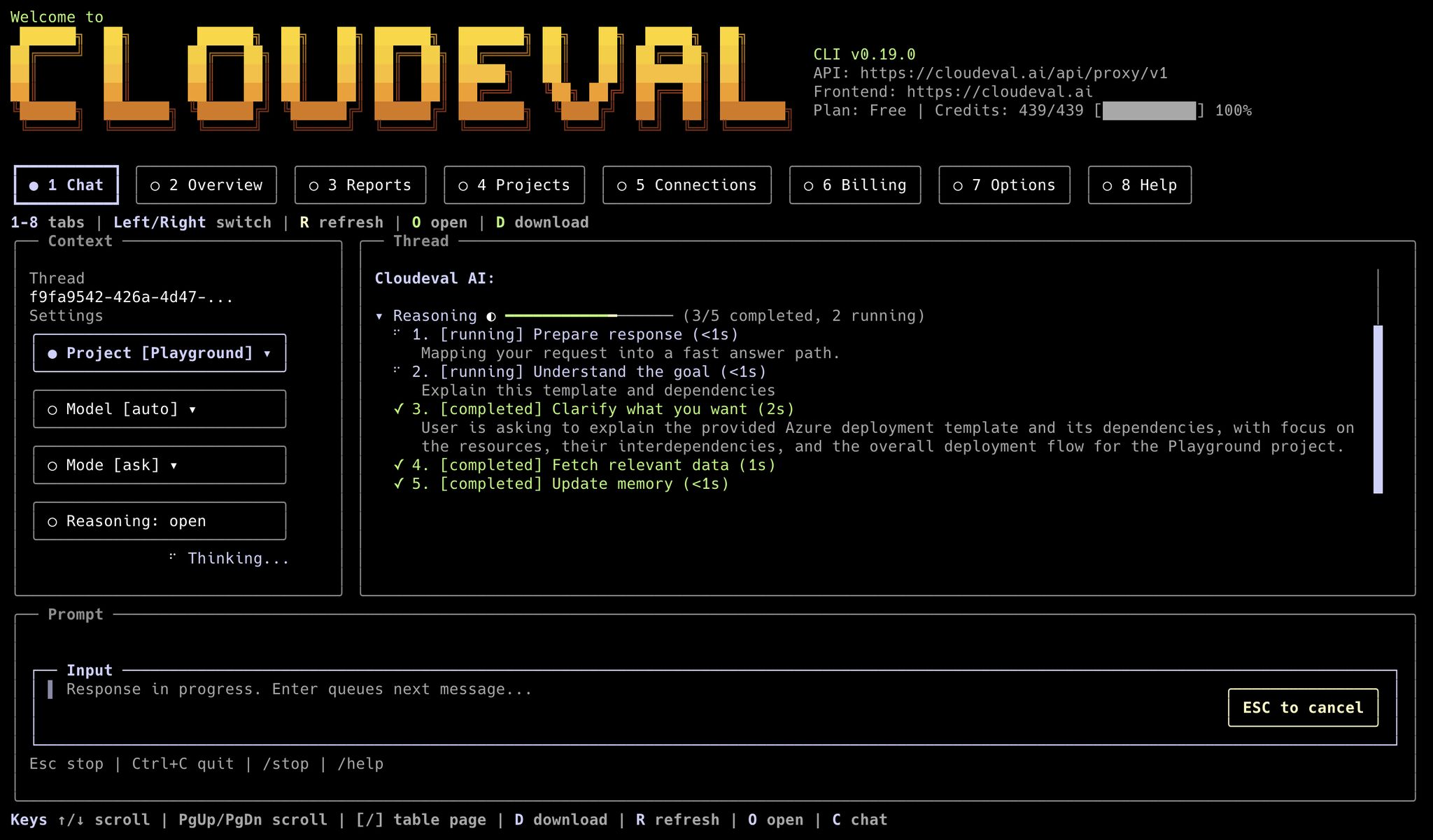
The terminal UI opens directly into a project-aware chat workspace with starter prompts, project context, model, mode, and status controls.
When to use the terminal UI
Use the terminal UI when you want to stay in a terminal but still inspect CloudEval interactively.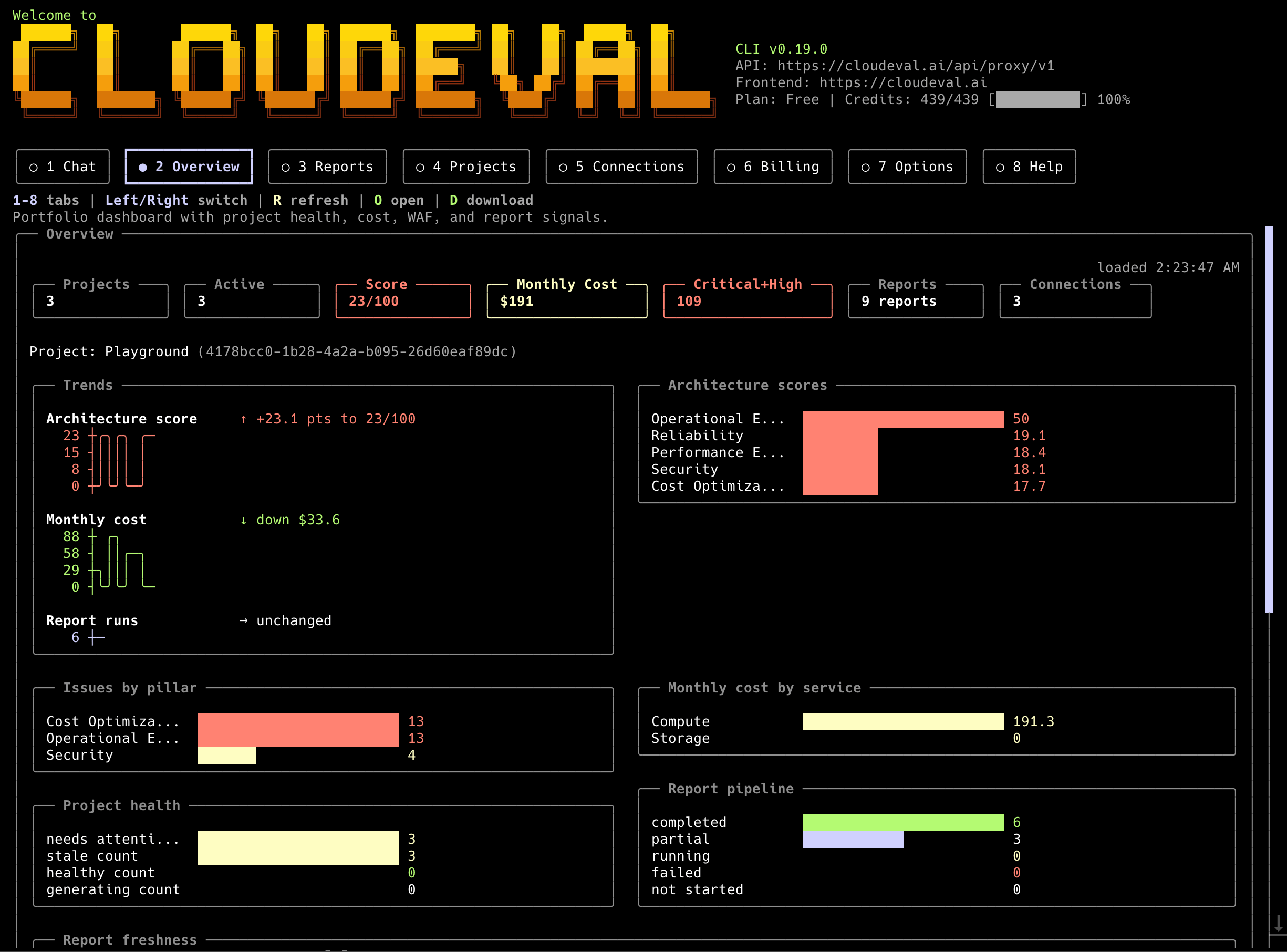
The overview tab gives a fast terminal-native read on projects, report status, connection health, and recent activity.
- browsing projects
- jumping into project reports
- reviewing chat or help context
- opening exact app pages from a project-oriented terminal session
--format json instead.
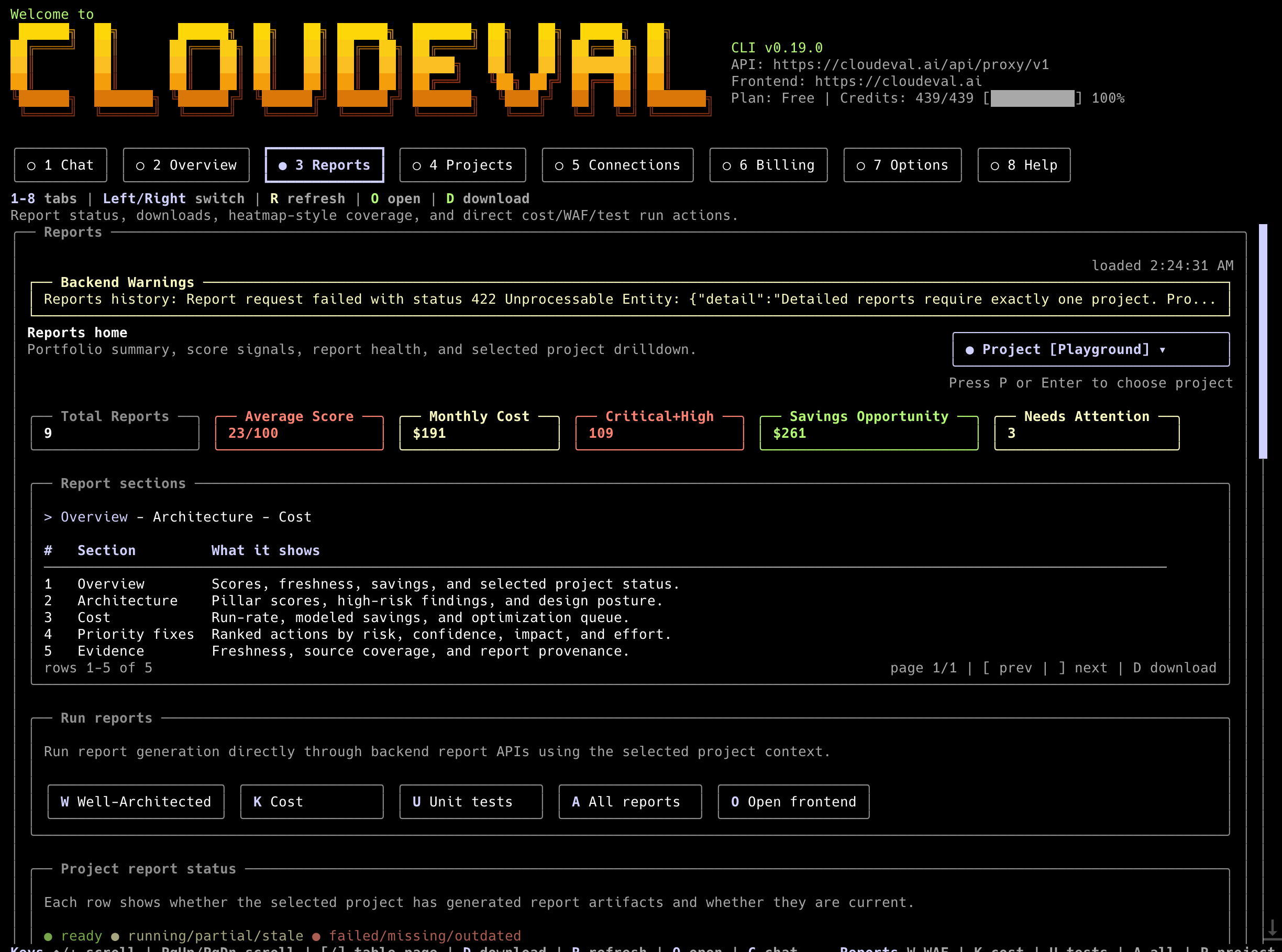
The reports tab keeps architecture, cost, unit test, and shareable report status visible without leaving the terminal.
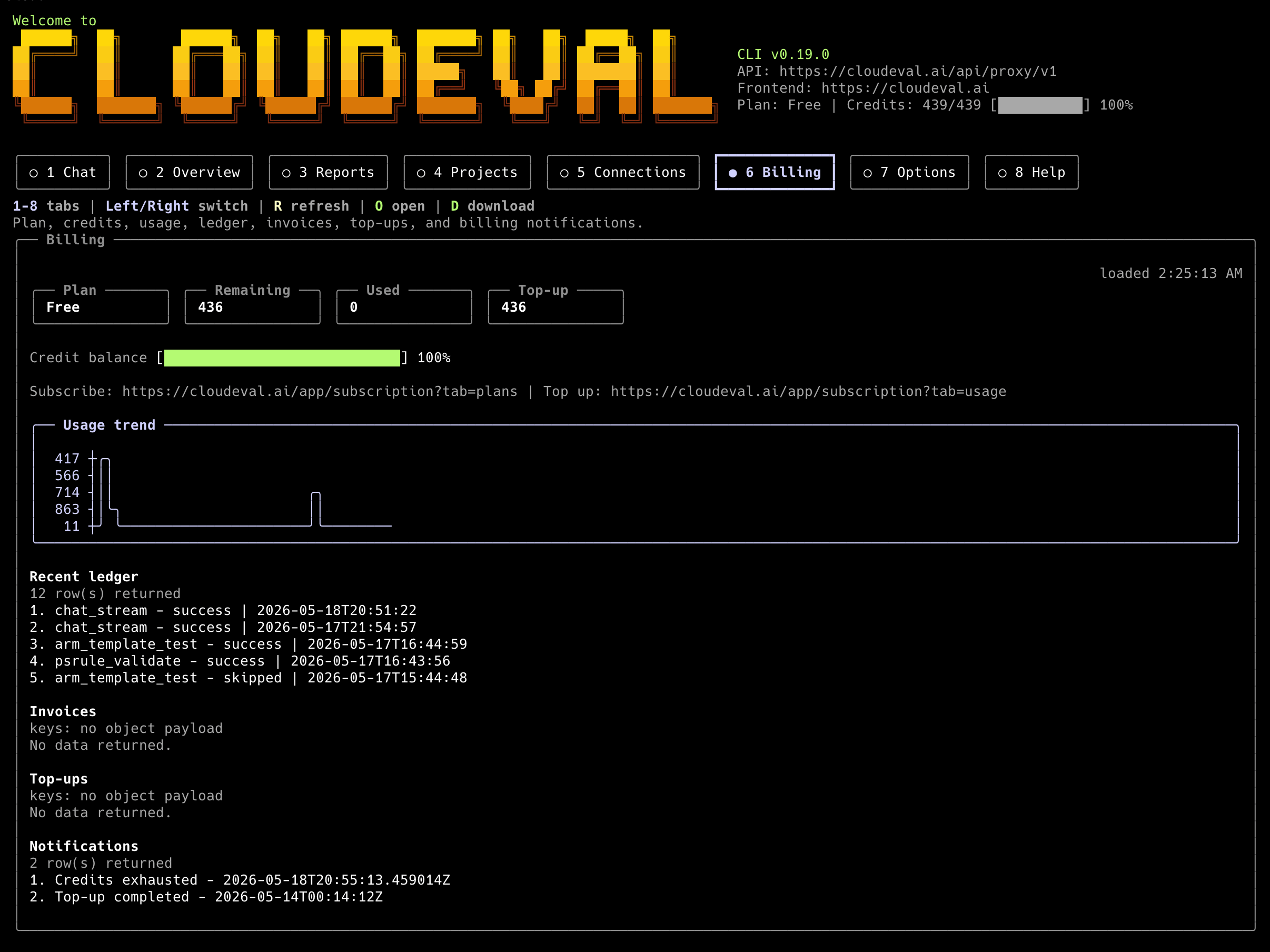
The billing tab shows plan, credits, subscriptions, and customer portal actions for local account checks.
When to use explicit commands
Use explicit commands when another tool needs predictable output.
JSON mode keeps CLI output predictable for scripts, agents, and CI jobs.
- CI jobs
- MCP-adjacent automation
- shell scripts
- local agents
- repeatable report generation
- saving output to files
Output rules
For machine-readable commands:- stdout is the data channel
- stderr is for prompts, progress, warnings, and browser-open messages
--output <file>writes durable artifacts when supported--profile <name>keeps defaults scoped to one agent or workspace