
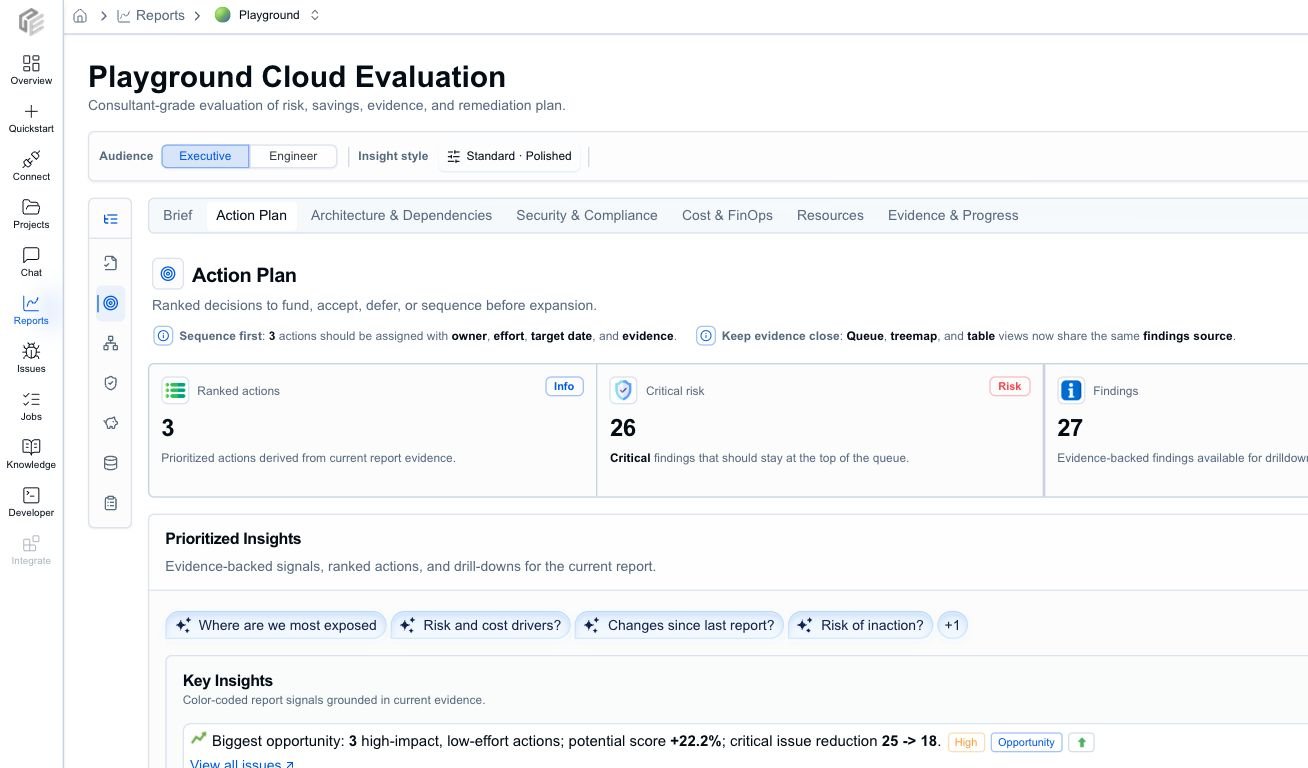
Use the prioritized findings view to keep the review focused on the highest-impact decisions, not every raw signal at once.
Recommended review order
- Start with Brief to align on posture, critical risk, run rate, savings, freshness, and confidence.
- Move to Action Plan and rank items by severity, confidence, business impact, savings, effort, and rollout risk.
- Use Resources to identify the exact resources behind the highest-priority items.
- Use Architecture & Dependencies for design risk, Well-Architected signals, and dependency context.
- Use Security & Compliance for security-themed findings, source evidence, and remediation review.
- Use Cost & FinOps for run-rate, savings, and cost-assumption checks.
- Finish in Evidence & Progress to confirm source artifacts, freshness, warnings, assumptions, trends, and history.
What to pull out of the Brief
- project posture and maturity
- critical and high-severity issue counts
- current run-rate cost and potential savings
- freshness, coverage, and confidence notes
- assumptions or warnings that change how strongly the report can be used
What to pull out of the Action Plan
- the top findings that should block rollout or trigger immediate remediation
- high-confidence, low-effort fixes
- findings with meaningful modeled savings
- owners, effort, and target dates
- any action that needs a follow-up ticket, PR, waiver, or stakeholder decision
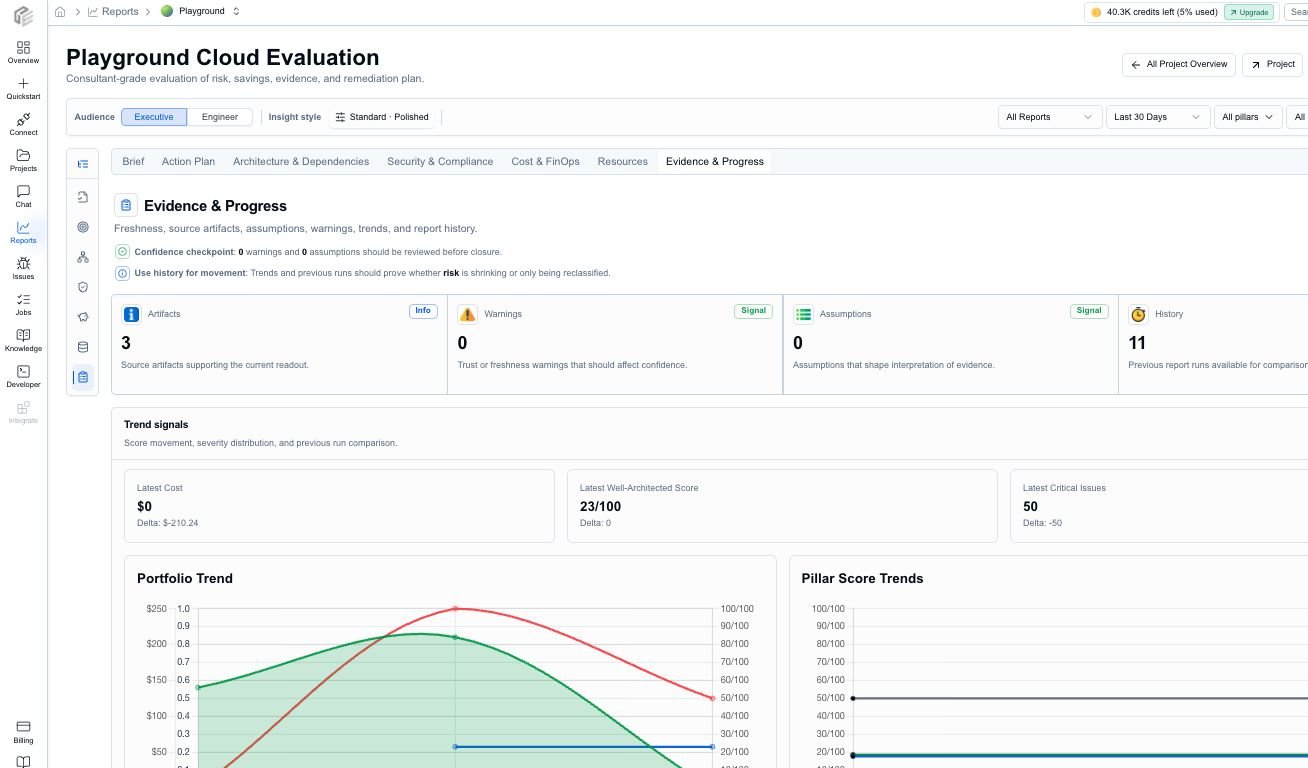
Evidence & Progress is the trust check before a report is shared or turned into tickets.
What to pull out of the technical tabs
Evidence acceptance checklist
Before treating a finding as a decision, check:- the affected resource is visible and recognizable to the team
- confidence is high enough for the proposed action
- freshness is not stale for the decision being made
- warnings or assumptions do not undermine the conclusion
- cost estimates have enough pricing or usage coverage for the intended use
- source artifacts and project links are available for engineering follow-up
- the recommendation is specific enough to become a ticket, PR, waiver, or owner action
Good review questions
- What is genuinely urgent?
- Which item has high confidence and low implementation effort?
- Which finding should block rollout?
- Which cost opportunity is material enough to prioritize?
- Which resource owner needs to be involved?
- Which findings need more evidence before action?
- Which items can be tracked for later instead of being solved immediately?
Export and share
Use export and sharing after the team agrees on the audience and depth:- PDF for stakeholder readouts and meeting packets
- Markdown for internal docs, PR summaries, and issue trackers
- JSON for automation and archival
- Brief depth for a concise status update
- Detailed depth for team review
- Evidence depth for audit-style follow-up or technical handoff