
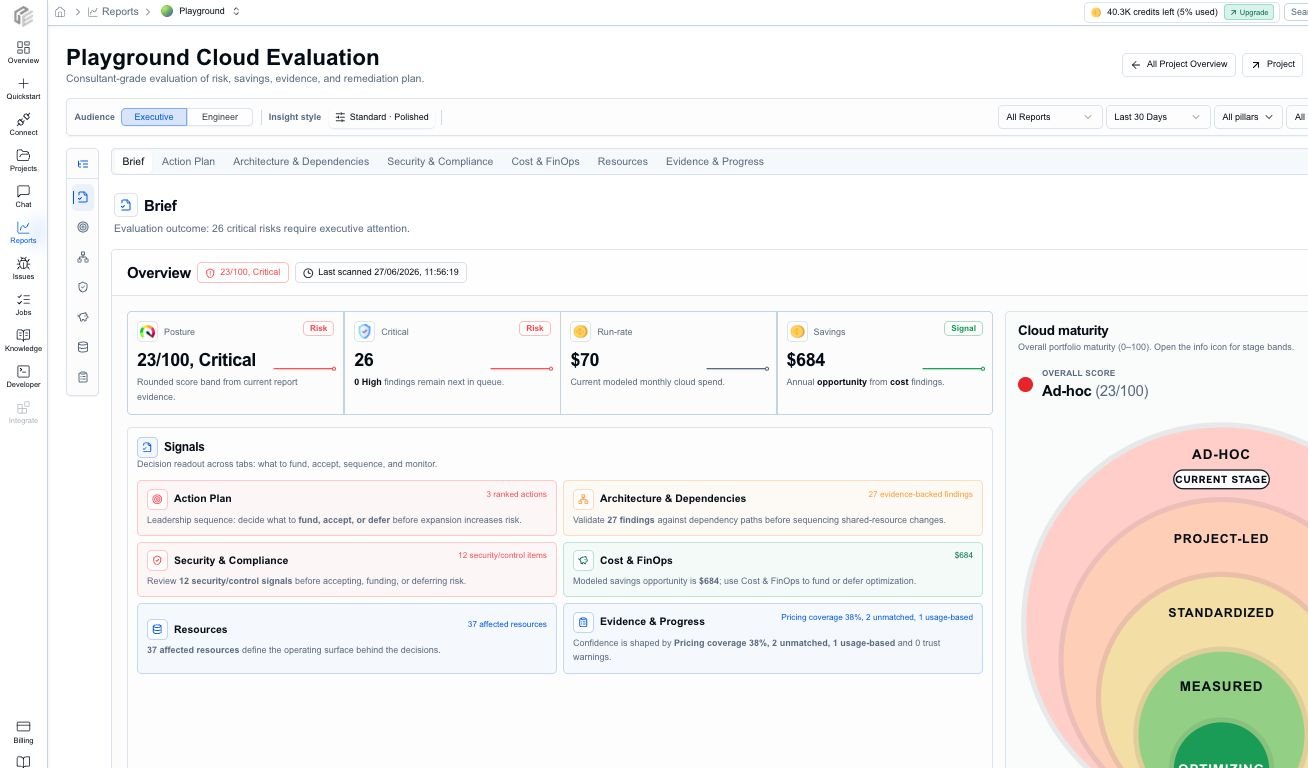
The Cloud Evaluation report starts with posture, critical risk, run rate, savings, maturity, priority decisions, and trust context in one surface.
Video walkthrough: automated cloud assessment reports for cost, architecture, evidence, and remediation planning.
Report anatomy
The report is organized around the decisions a team needs to make, not only the raw report payload that produced each metric.Priority decisions
The first review pass should start with the issues that have the clearest severity, confidence, business impact, ROI, or effort signal. CloudEval keeps those signals together so the report is not just a long findings export.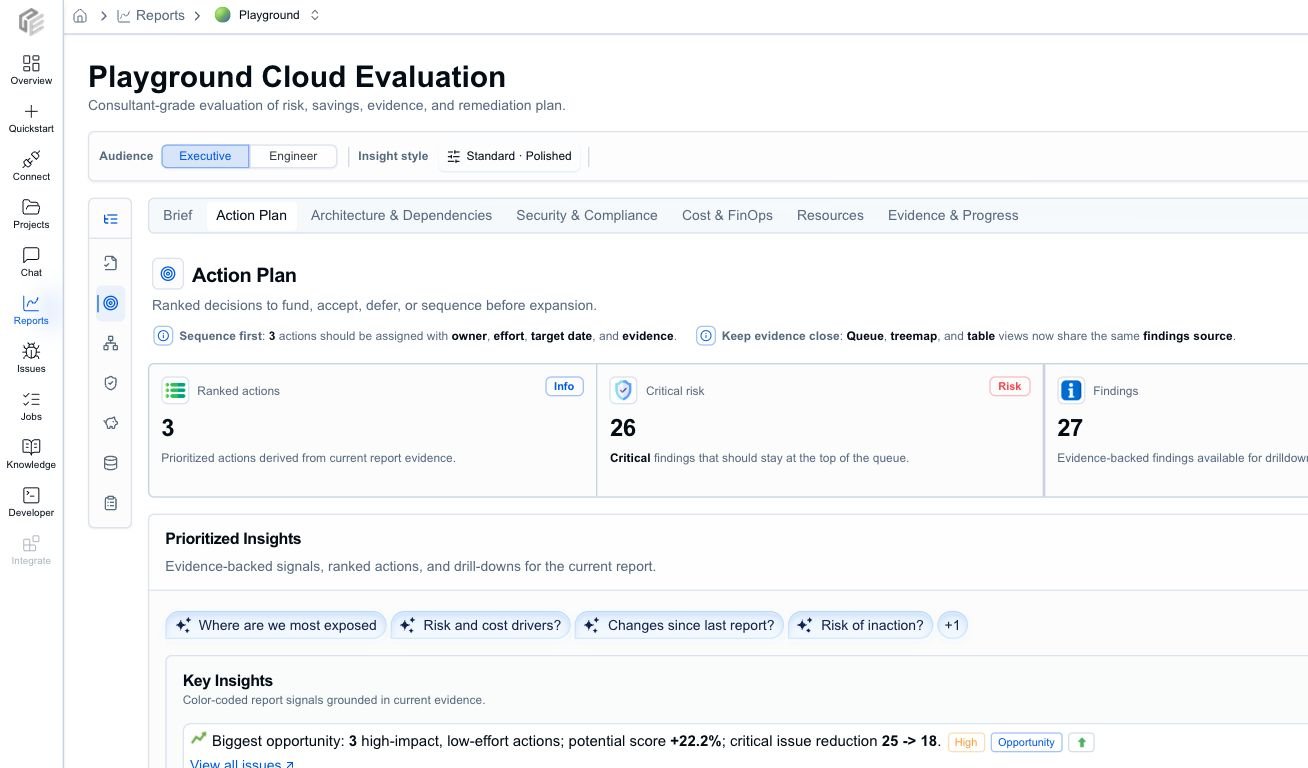
Priority decisions keep the finding, owner, estimated effort, target date, confidence, suggested action, and selected finding detail in one scannable review surface.
- decide which issues block rollout
- separate urgent remediation from backlog work
- compare severity against savings and effort
- assign owners and target dates
- open a finding detail view without losing report context
Breakdown views
Use report breakdowns when a summary number is not enough. Change the mode, path, and filters to compare issues by project, pillar, category, severity, or resource type.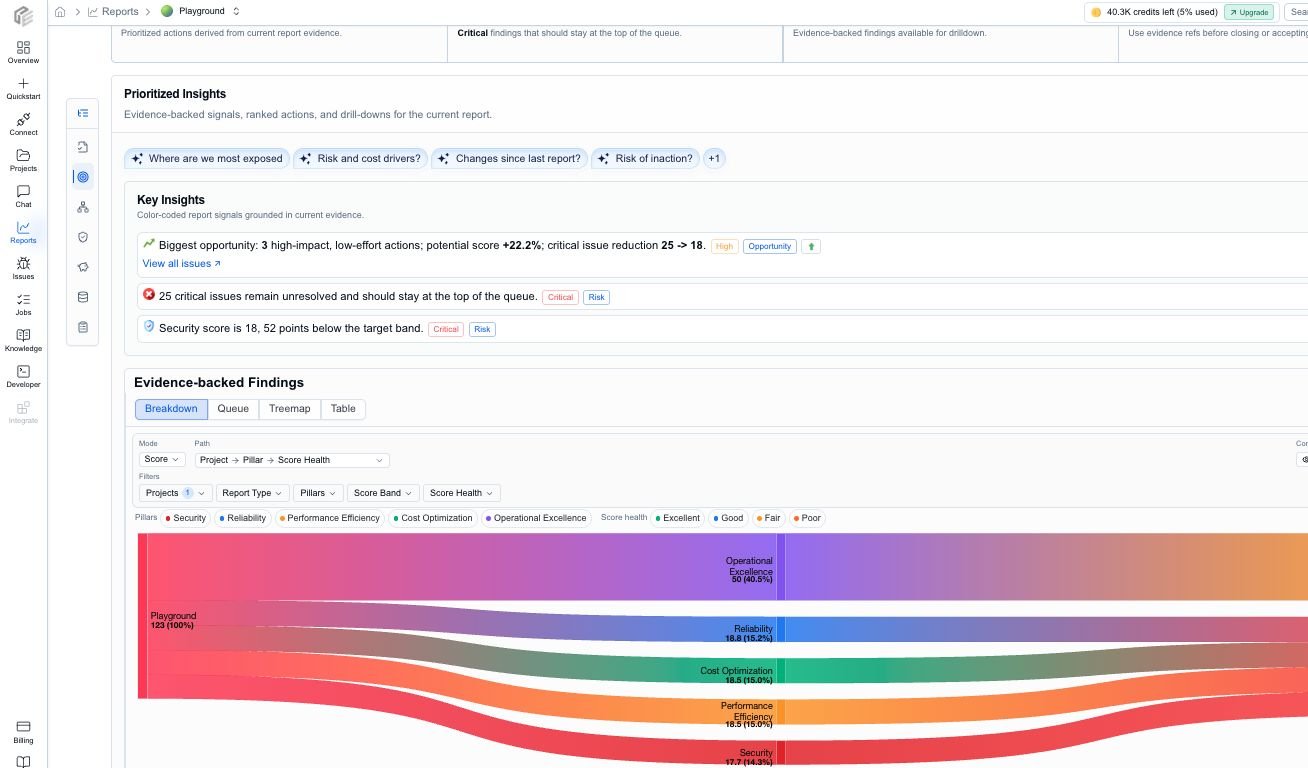
Breakdown view traces a report score from project to pillar to score health, with filters and path controls for the current report.
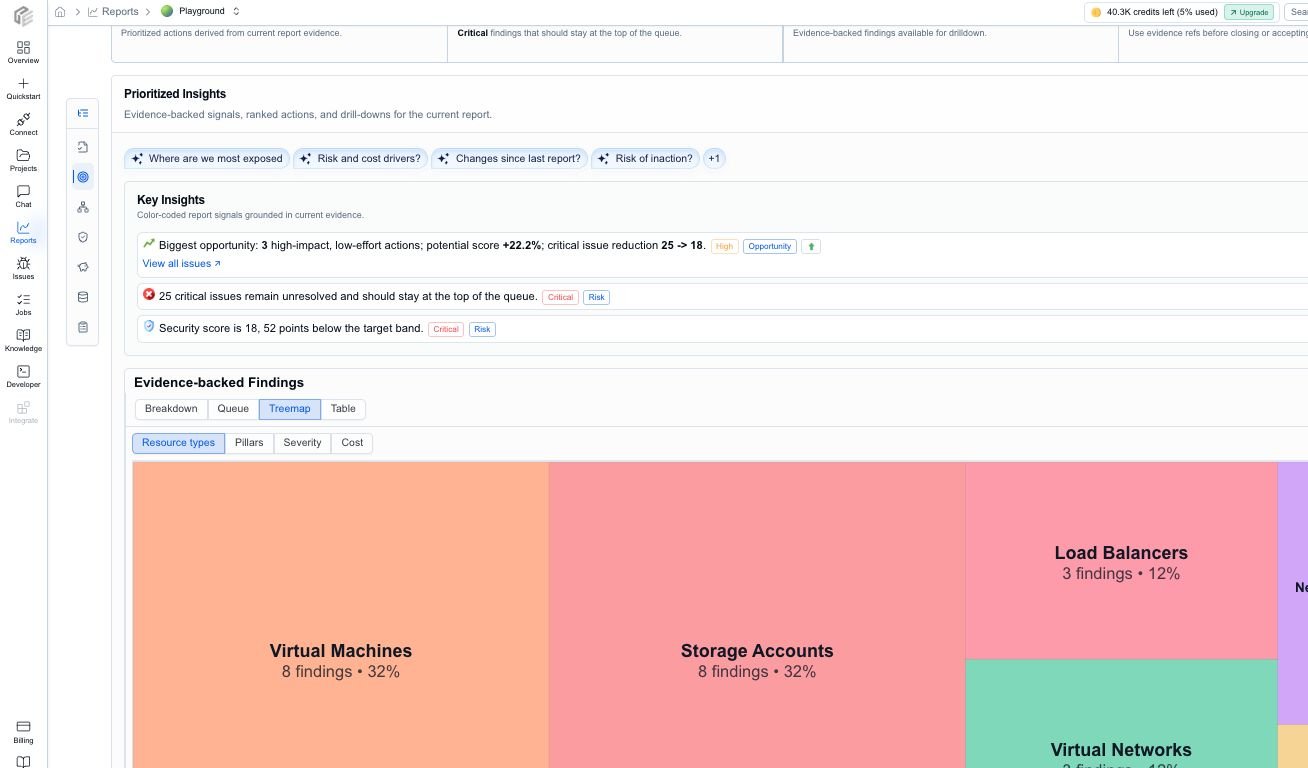
Treemap view shows where findings concentrate by resource type, pillar, severity, or cost grouping.
Report payloads
CloudEval still generates and stores report payloads behind the unified report surface. The important distinction is:- Report payloads are the generated data products, such as cost, architecture, and template or unit-test style results.
- Report tabs are the end-user review experience that combines those payloads with project context, evidence, confidence, inventory, and exports.
Cost and FinOps
Cost reporting is designed to answer:- What does this project cost now?
- Where are the largest spending concentrations?
- Which opportunities are worth reviewing first?
- Which estimates have weak pricing coverage or missing usage context?
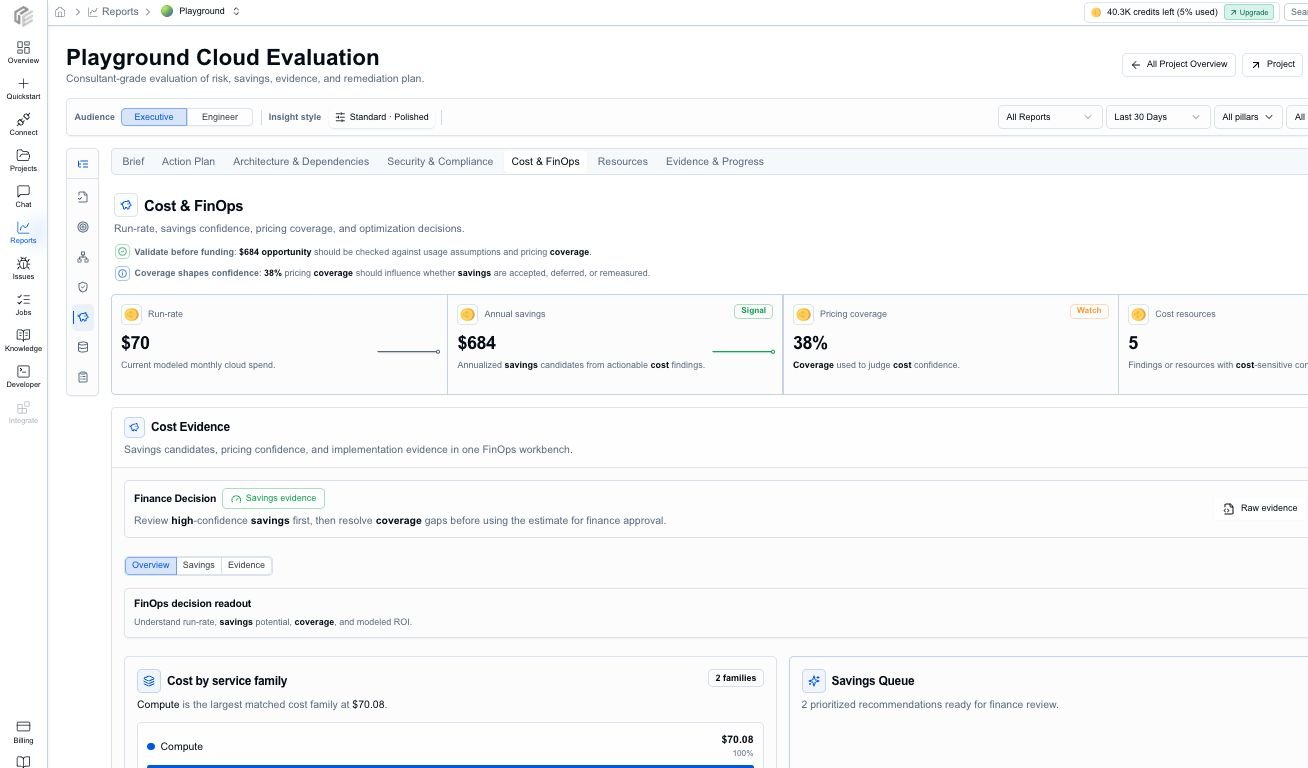
Cost context surfaces monthly run rate and savings opportunities before the team drills into detail.
Architecture and security
Architecture reporting is designed to answer:- How healthy is this design overall?
- Which Well-Architected pillars need attention?
- Where are the critical and high-severity issues?
- Which resources or dependency paths carry the most risk?
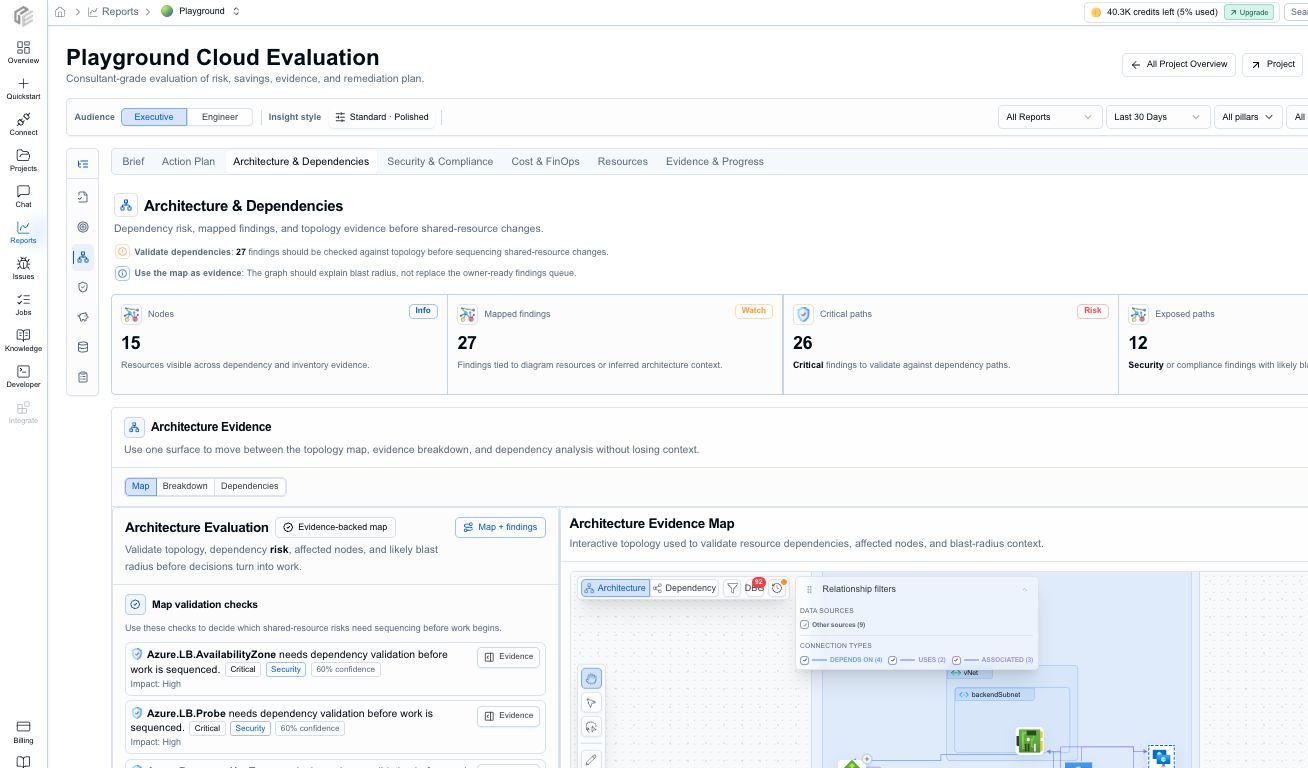
Architecture context shows pillar maturity and high-priority areas for review.
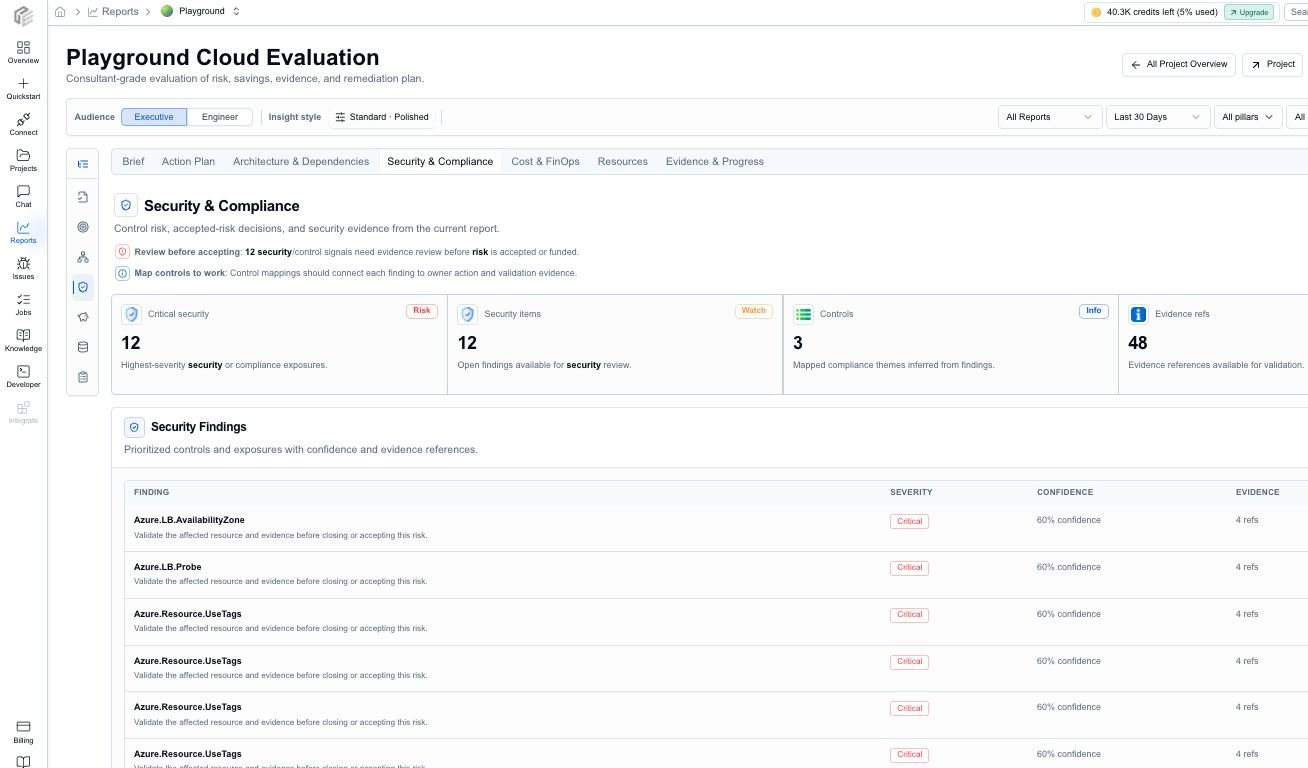
Security and compliance review keeps security-themed findings and control context in its own report tab.
Resources and evidence
The Resources tab connects report findings to the inventory that produced them. Use it when a stakeholder asks, “Which exact resource needs work?” Resource rows can include:- resource name, type, provider, region, subscription, resource group, and tags
- health or review status
- severity and issue count
- monthly cost and estimated savings where available
- primary action, evidence links, and related findings
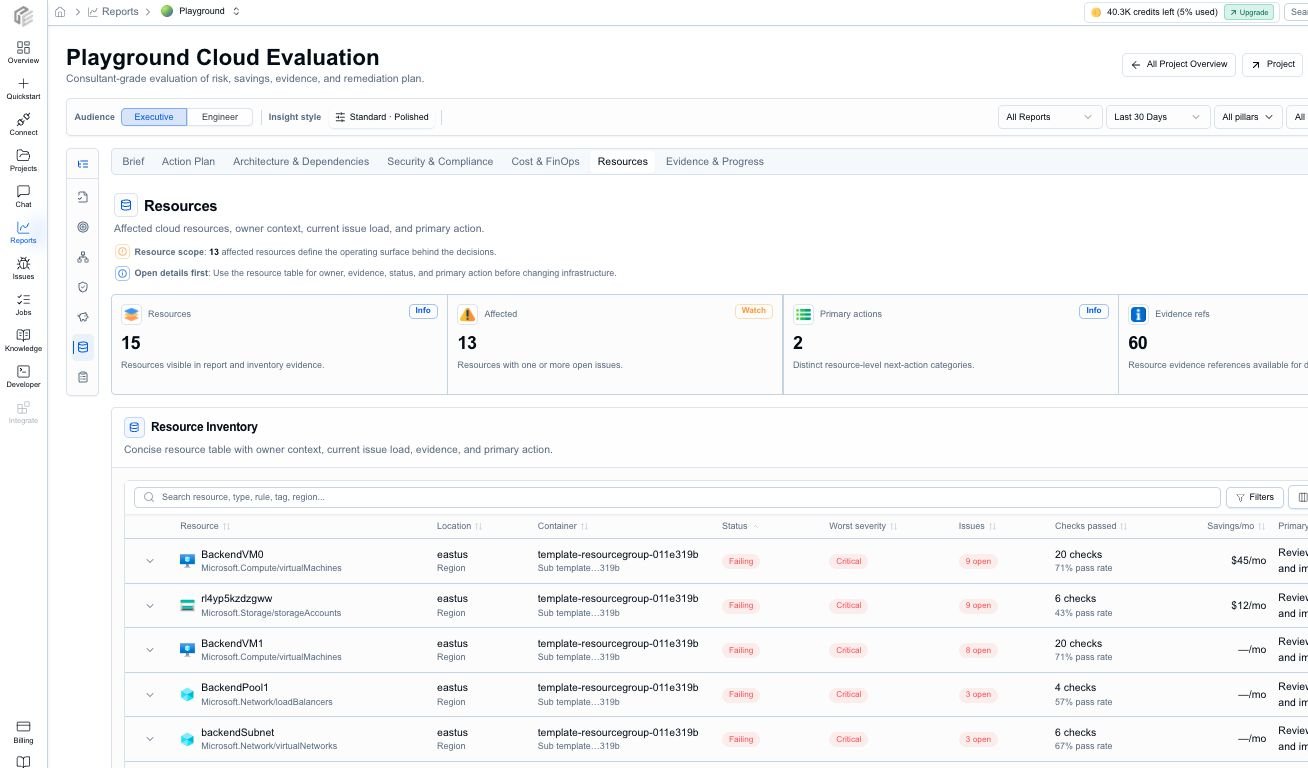
Resources connect report findings to the operating surface that needs review.
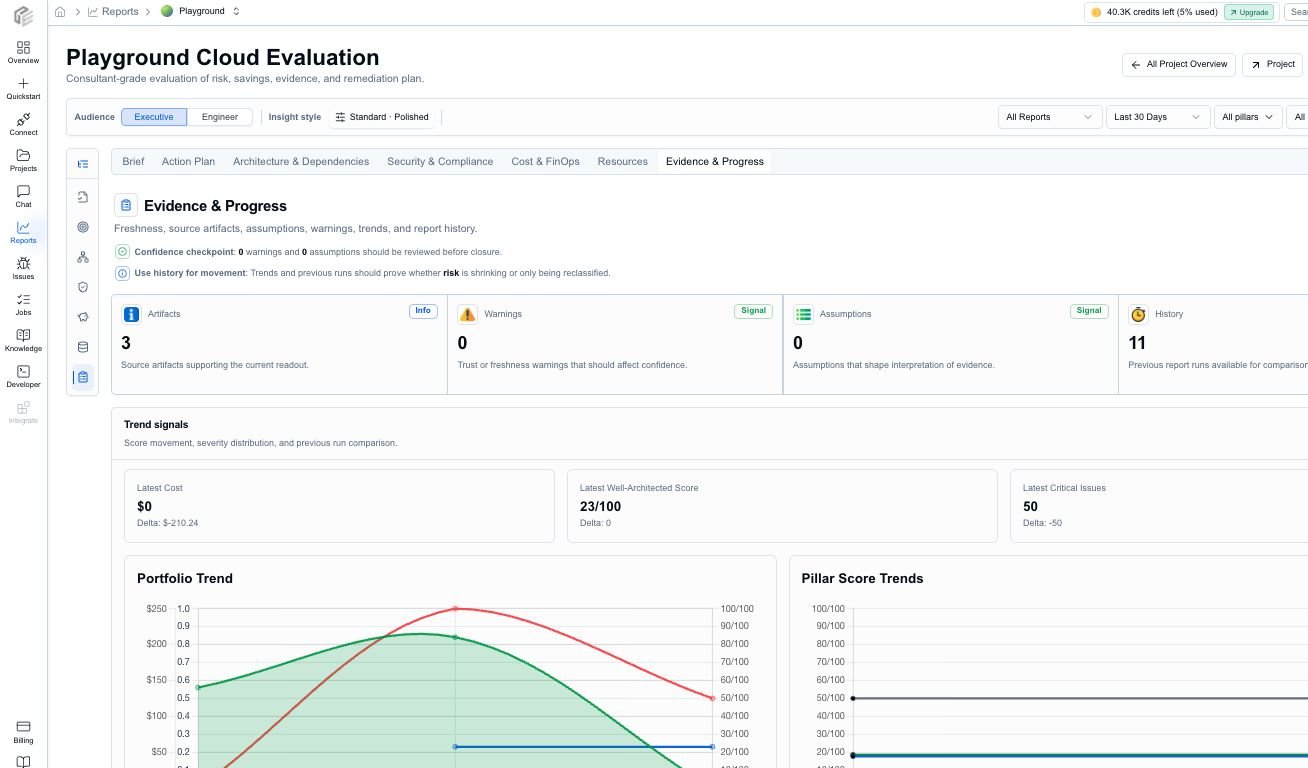
Evidence & Progress keeps source artifacts, warnings, assumptions, trends, and report history close to the decision.
Audience modes
CloudEval reports support different review postures for different readers.Exports and AI handoff
Reports can be used inside CloudEval or exported for offline review.How reports relate to projects
Reports are generated from projects, not from raw files in isolation. That matters because CloudEval can attach the latest snapshots, source inputs, diagrams, history, inventory, and share state back to the same project over time.When to run both payload families
Run both cost and architecture payloads when you want a rounded view of tradeoffs. Architecture tells you about quality and risk. Cost tells you what the environment is likely to cost and where the biggest optimization levers are. The Cloud Evaluation report then combines those signals into a review sequence.Ask an AI assistant how to read a CloudEval report.