
Architecture view
Use the architecture view when you want the broad shape of a project:- resource groups and major resources
- service boundaries
- topology and layout
- resources that need architectural review
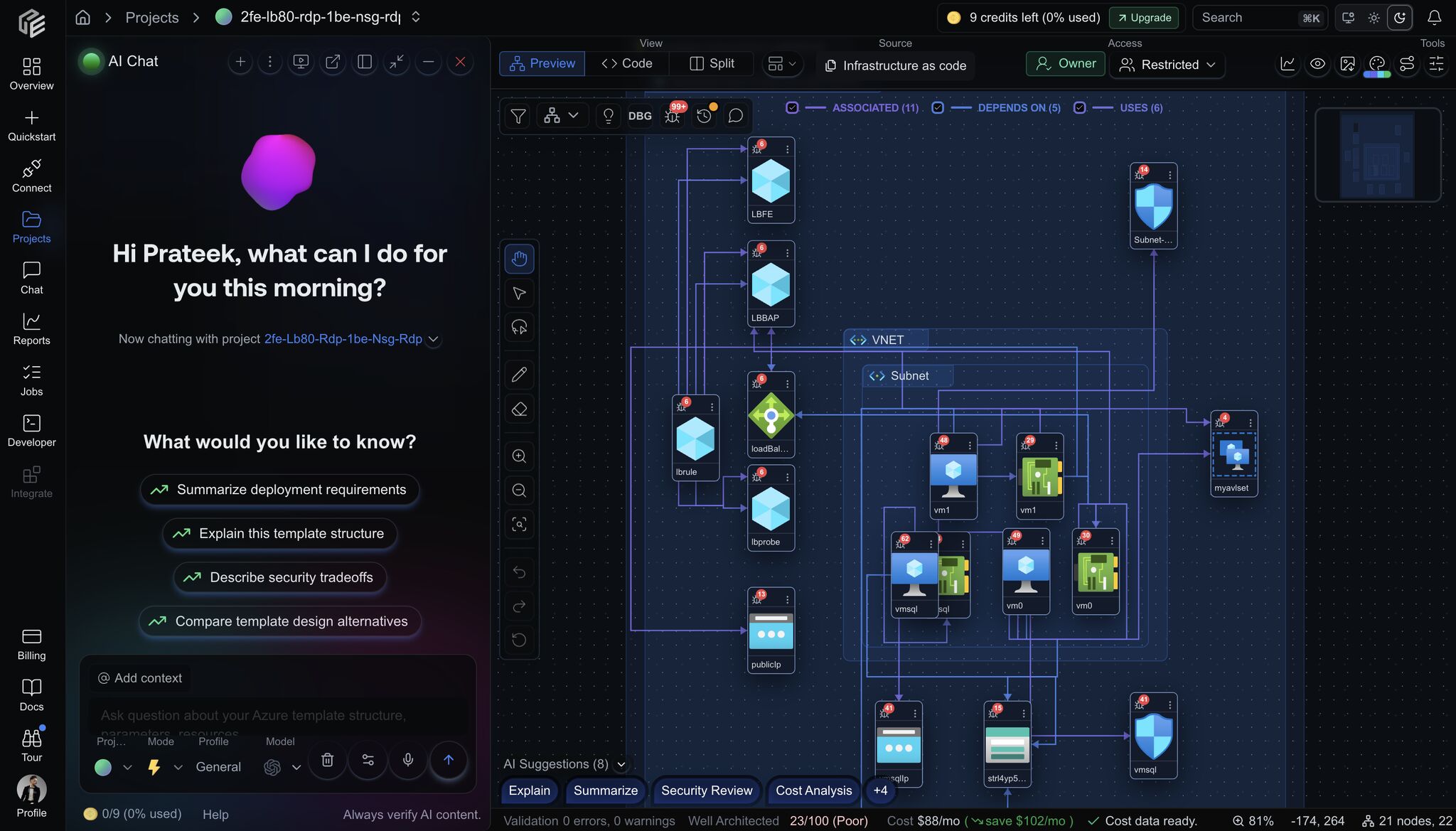
Architecture view with resource context, issue badges, dependency labels, cost status, and project-aware AI chat.
Video walkthrough: automated cloud architecture diagrams and intelligence in CloudEval.
Dependency view
Use the dependency view when the review depends on relationships:- upstream and downstream resources
- dependency paths that affect risk or blast radius
- resource chains that make a design harder to change
- differences between expected and actual topology

Dependency-focused view showing a selected resource, upstream/downstream paths, and actions that keep review close to the graph.
Video walkthrough: use the cloud dependency graph to understand the impact of each cloud issue.
Code and diagram context
For IaC-backed projects, diagrams are strongest when they stay close to the source files. Use the workspace editor to compare:- the selected resource in the diagram
- the source template or generated ARM JSON
- report findings attached to the same project
- the latest project status
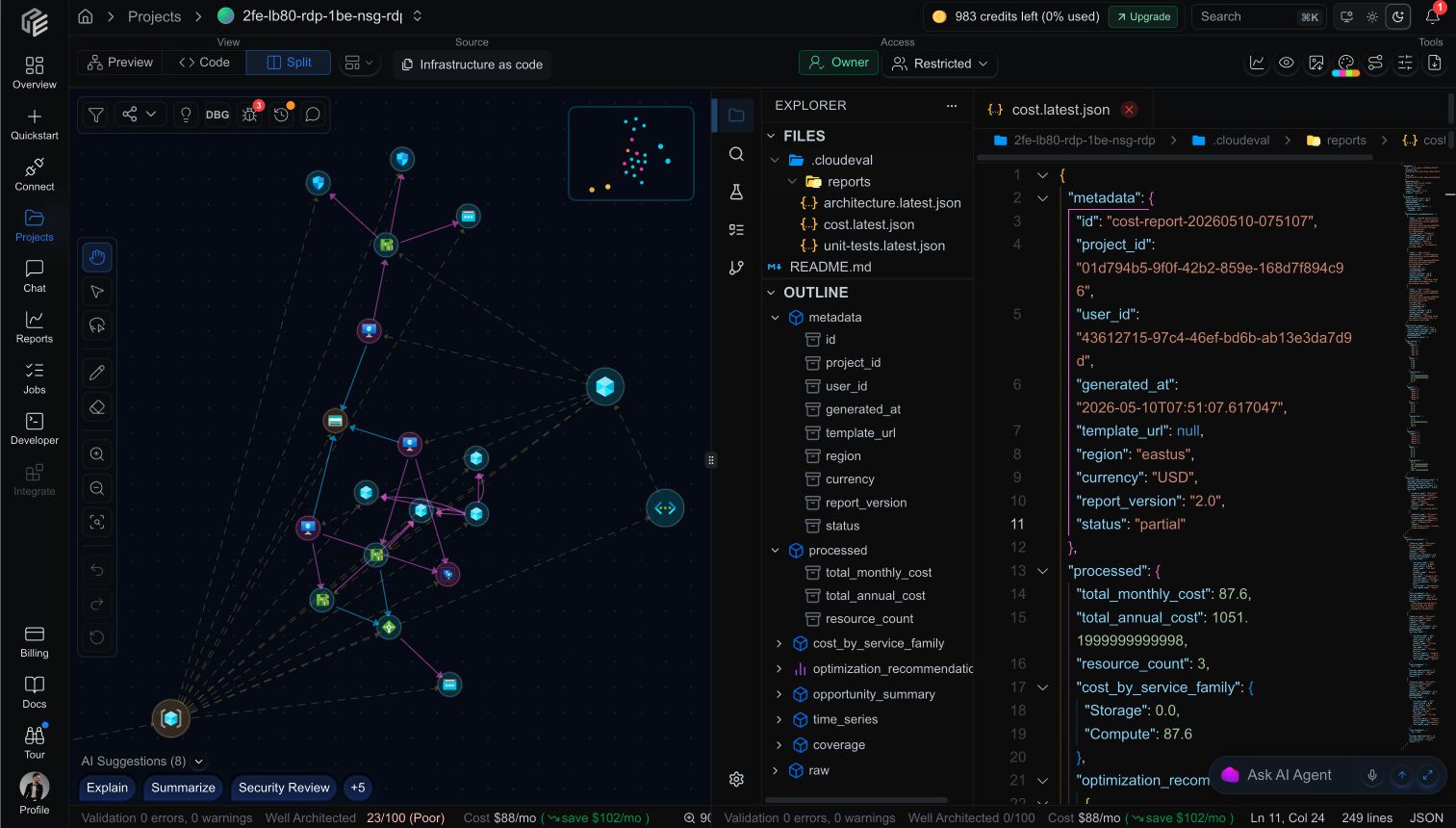
Split view keeps the diagram, file explorer, outline, report JSON, and AI assistant close enough to review together.
Diagram markup
Use drawing tools when you need to explain a path, proposed change, or review question in the diagram itself.
Draw mode helps reviewers mark dependency paths and affected resources without losing the diagram context.
AI-assisted diagram review
Use diagram context with an assistant when the question depends on multiple resources or relationships.- Ask about selected resources instead of describing them from memory.
- Use the visible relationship path as the grounding context.
- Keep the diagram open while reviewing the generated explanation.

Agent-assisted review keeps the question, selected resources, generated explanation, Mermaid sequence, and diagram context visible together.
Sharing and embedding
Diagrams can support review outside the core workspace when the project is appropriate to share.- Use share links for read-only review.
- Use embed links when the diagram belongs inside another internal surface.
- Review the project content before publishing a public or broad internal view.

Link visibility controls decide whether a diagram stays restricted or becomes available through a public review link.
What to avoid
- Do not assume a diagram is current if the project has not synced or reports have not rerun.
- Do not use a public share view when private graph data is required.
- Do not treat architecture and dependency diagrams as interchangeable; they answer different questions.